1
Commands Listed in Alphabetical Order
Examples
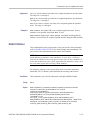
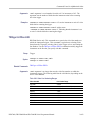
If one sets the data format to binary with a TRIGGER: A:SERIAL:DATA:FORMAT
command, as follows: TRIGger:A:SERIAL:DATA:FORMAT BIN then the
following query: TRIGger:A:SERIAL:DATA:PATTERN? might return the
following characters: 1101XXXX10 :
If one next sets the data format to hexadecimal with the
TRIGGER:A:SERIAL:DATA:FORMAT commands as follows:
TRIGger:A:SERIAL:DATA:FORMAT HEX then the following query:
TRIGger:A:SERIAL:DATA:PATTERN? might return the following characters:
3?? Showing, in this case, 3 followed by two “?”. Each hex character
has replaced four binary characters. The hex “??” has replaced the binary
”01XXXX10”. The “?” was used because "01XX” and “XX10” don’t have an
exact hex representations.
If one sends: TRIGger:A:SERIAL:DATA:PATTERN “XXXX XXXa” this will set
the pattern to eight hex digits. The space in the middle only serves to make the
pattern easier to read.
Now, if one sends the following query: TRIGger:A:SERIAL:DATA:PATTERN?
this might return: XXXXXXXA showing the effect of the pattern sent in example 3.
The cosmetic space from example 3 is not returned.
Finally, one could change the data format back to binary with
the TRIGGER:A:SERIAL:DATA:FORMAT command, as follows:
TRIGGER:A:SERIAL:DATA:FORMAT BIN then one could query the instrument
using the pattern command, as follows: TRIGGER:A:SERIAL:DATA:PATTERN?
This could return: XXXXXXXXXXXXXXXXXXXXXXXXXXXX1010 showing the
response due to the binary format. Four binary characters “1010” now replace
the hex character “A”.
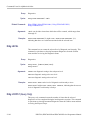
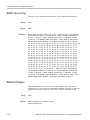
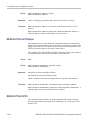
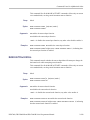
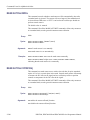
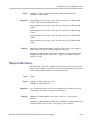
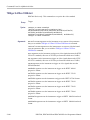
TRIGger:A:SERIAL:DATa:PATtern:NRZ
This command sets or queries the data pattern to allow up to 32 bit serial patterns.
Group
Low Speed Serial Trigger
Syntax
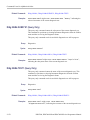
TRIGger:A:SERIAL:DATa:PATtern:NRZ <string>
TRIGger:A:SERIAL:DATa:PATtern:NRZ?
Related Commands
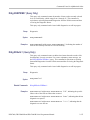
TRIGger:A:SERIAL:DATa:PATtern
TRIGger:A:SERIAL:DATa:PATtern:S8B10B
Arguments
2-584
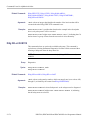
STRING specifies the serial pattern to trigger on. The default value is “01”, such
that there are up to 64 characters total.
DPO7000, DPO70000/B and DSA7000/B Series Programmer Manual