1
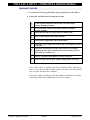
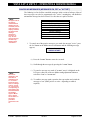
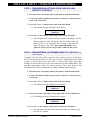
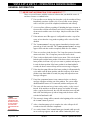
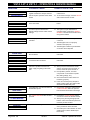
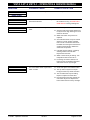
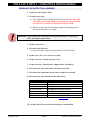
VISTA 2-NT & VISTA 3 - OPERATION & SERVICE MANUAL TOTAL PER SELECTION COUNTER Note: When accessed, this counter will default to illuminating the “ COFFEE” button, all cup sizes and all strengths to give a vend reading for the total cups of coffee. When scrolling through the counters, you will see a counter that is called the "TOTAL/S ELECTION" counter. This counter will display the number of cups brewed for the selection that corresponds to the LED's that are illuminated on the selection panel. To get a counter reading, press the buttons that would correspond to the counter you need to access. At this point, the LED's for your selection will be illuminated. EXAMPLE: If you need to know how many MEDIUM cups of DECAF, STRONG strength have been brewed, press the " DECAF", " STRONG", and " MEDIUM CUP" buttons. The LED's will illuminate and the display will show how many cups of this particular selection were brewed. To check any other selection, press the corresponding buttons on the selection panel. Note: Pressing the “ START ” button while in this mode will reset all the cup and product counters to zero. It is not possible to individually reset any of these counters. As previously stated, the counter reading on the display corresponds directly to the LED's illuminated on the selection panel. This allows for many counter combinations, again depending on what is pressed and which LED's are illuminated on the selection panel. To switch an LED off again, press the corresponding button a second time. COIN DISPENSE The "COIN DIS PENS E" mode will only appear and function if the coffee maker is in "COIN" mode. If the coffee maker is in "FREE" mode, this feature will be completely disabled and the message will not appear on the display. 1. To dispense coins, scroll in the "S ET-UP" until the display reads, COIN DISPENSE 5¢ 10¢ 25¢ Tip: Keep the corresponding button pressed while dispensing and the coin changer will dispense three coins per second to help empty the coin tubes more a) To dispense nickels, press the "COFFEE" button. b) To dispense dimes, press the "50/50" button. c) To dispense quarters, press the "DECAF" button. Use this chart as a quick reference. 5¢ 10¢ 25¢ Vista NT - Operation & Service Press “COFFEE” Press “50/50” Press “DECAF” 02-2012 Page 21 of 102