1
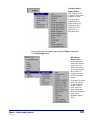
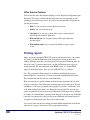
Navigator toolbar
Reports button
Click the Reports button
to open the reports menu
and choose a report.
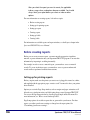
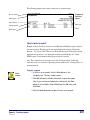
The reports menu
displayed from the
Reports button in the
Navigator window is
identical to the one
displayed in the
Winnebago menu.
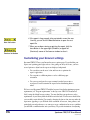
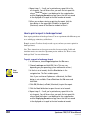
You can also access the reports menu from the Reports command
in the Winnebago menu.
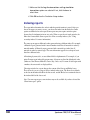
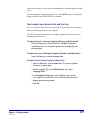
Winnebago >
Reports menu
Choose the Reports
command to open the
reports menu. The
reports menu lists the
seven report categories.
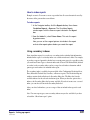
All the reports in a
category are created
from the same report
window.
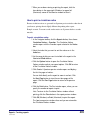
For example, all material
reports are created in
the Material Reports
window. To print a
report, choose the
report category and
report from the Reports
menu and the
appropriate window
opens.
Reports: Understanding reports
SCC5um1200kn
385