1
ELID EsofWIN
Operation Manual
CHAPTER 2
2.
GETTING STARTED
2.1
BASIC REQUIREMENTS
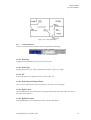
EsofWIN comes to you with the following parts bundled together.
.
.
.
.
EsofWIN Installation Diskettes (2 pieces of 3.5” floppy diskette)
User Manual
PC Connection Cable
Program Key
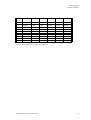
We recommend the PC to be equipped with the following minimum configuration :PC
CPU
MEMORY
DISK
DISPLAY
SERIAL PORTS
INTERFACE
OPERATING
SYSTEM
IBM compatible Personal Computer
486DX4-100 or higher microprocessor
8MB
Hard disk with at least 120MB space reserved for EsofWIN program
and data files
Super VGA monitor with 1M SVGA interface board
COM1 and COM2
Keyboard and Mouse
Microsoft Windows 3.x or Windows 95
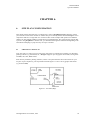
EsofWIN can support the following reader controllers :EL20X0L, EL20X0CX, EL2100 2200L and 2200L6. These readers must be wired in the correct
manner to suitable communicators (EL70B, EL71C, EL75, EL72 or EL78). You must connect up the
various components according to Appendix A. As new reader controllers are introduced, which can
work with PC, EsofWIN will be upgraded to communicate with these new reader controllers.
2.2
INSTALLING EsofWIN
2.2.1
Installing EsofWIN in Windows 3.x
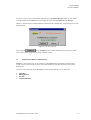
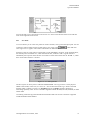
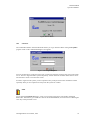
If you are using Windows 3.1 or Windows for Workgroups 3.11, do the following :
• Insert the disk labeled EsofWIN Installation - Disk 1 into the floppy drive.
• Type x:setup where x is the letter representing your disk drive.
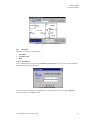
This will automatically copy EsofWIN program into your hard disk (drive x) under the directory
c:\EsofWIN
All Rights Reserved © ELID, 1996
3