1
Page 2 of 12
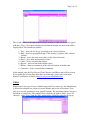
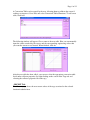
The second window to the right of the Locations window is where all the devices appear
with their “Tags”. Also, upon selecting any tab from the bottom bar, that action will be
displayed here. The bottom bar includes:
1. ‘Tags’, shows the list of tags associated to the selected location
2. ‘Map’, shows the geographical map, CAD drawing, or picture of the selected
location
3. ‘Recent’, shows the most recent values of the selected location
4. ‘Player’, plays back measurements in time
5. ‘Charts’, shows custom defined charts
6. ‘Reports’, shows custom defined html reports
7. ‘History’, shows measurements of the selected location in tabular form
8. ‘Comments’, shows custom defined comments
In this manual, only the Tags, Recent, Charts, Reports, and History tabs will be covered.
If you would like to learn more about these and other tags, please refer to the main
Promis User Manual, available at http://www.projex.nl/eng/index.htm.
USERS
Promis knows two types of users; Administrators and View-only users. An Administrator
is allowed to configure (on a licensed system) Promis and to view all locations. Viewonly users are only permitted to view granted locations. The maximum number of users is
dependent of your license. The standard license includes the right to define 4 users. To
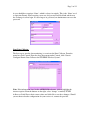
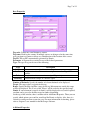
edit users, select ‘Users’ from the ‘Edit’-menu and the following window will pop-up: