1
PM_MODBUS (monitor sensors & signal actuators using MODBUS)
This driver can be used to monitor sensors & signal actuators accessible through a MODBUS-RTU
network/device.
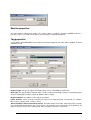
Driver properties
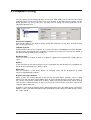
Connection Properties
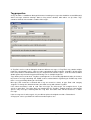
In case the MODBUS network is connected to the computer with a serial communication port physically or
virtually (USB) you have to specify the used communication port, baud rate etc. If the MODBUS network
is connected to the computer through an RS232-TCP/IP converter, the IP-address and TCP-port# of the
converter should be specified.
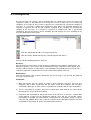
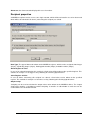
Poll Interval
The interval between series of MODBUS readouts. The lower this value the more responsive the system
will be, but it could cause an unacceptable network load (in case of using a RS232 TCP/IP converter).
The default value is 60 seconds.
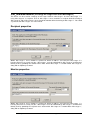
Echo & Timeout
If the MODBUS network echo’s the commands send from the driver, the driver needs to know that, to filter
them out. If a MODBUS slave does not answer within the ‘Timeout’, the read-out of that slave will be
terminated and the driver will continue with the next slave.
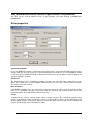
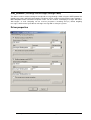
Jscript
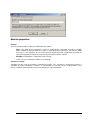
JScripting can be used, to calculate output values to signal actuators. The ‘Advanced properties’-page
contains a checkbox to enable JScripting. It contains an edit window as well, that can optionally be used
to define global variables or functions (within the scope of the driver instance) that can be used within the
recipient specific output value calculation functions.
Messenger
Appendix 1: Communication Drivers - 30