1
Contents
Notices...................................................................................................................................................... 4
Notes for this manual........................................................................................................................10
Safety information..............................................................................................................................11
Welcome................................................................................................... 13
Package contents...............................................................................................................................13
Getting to know your ASUS All-in-one PC............................................. 14
Front view..............................................................................................................................................14
Rear view...............................................................................................................................................16
Side view................................................................................................................................................18
Using the touch screen.....................................................................................................................19
Showing the touch pointer....................................................................................................19
Cleaning the touch screen......................................................................................................20
Positioning your ASUS All-in-one PC..................................................... 21
Placing on the desktop.....................................................................................................................21
Mounting to the wall.........................................................................................................................21
Setting up your ASUS All-in-one PC....................................................... 23
Connecting the wired keyboard and mouse............................................................................23
Connecting the wireless keyboard and mouse.......................................................................23
Powering on the system..................................................................................................................24
Powering off.........................................................................................................................................24
Calibrating the screen.......................................................................................................................25
Configuring a wireless connection..............................................................................................26
Configuring a wired connection...................................................................................................27
Using a static IP...........................................................................................................................27
Using a dynamic IP (PPPoE)....................................................................................................29
Configuring the audio output........................................................................................................32
Speaker configurations............................................................................................................32
Connecting to speakers...........................................................................................................32
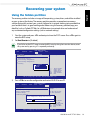
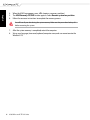
Recovering your system.......................................................................... 33
Using the hidden partition..............................................................................................................33
English
Contents