1
BACKUP
7.1 BACKUP Description
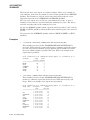
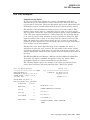
Sizes of virtual memory requirements for the bitmaps are VAX pages (or Alpha
512-byte pagelets) per block of bitmap. For the BACKUP utility, the virtual
memory requirement for the bitmaps is equal to the sum of the sizes of all index
file bitmaps on the volume set. (Note that this memory requirement is in addition
to the BACKUP utility’s substantial buffer pool.)
The following sections describe the BACKUP command line format.
7.2 BACKUP Command Line Format
To perform BACKUP operations, enter the DCL command BACKUP in the
following format:
BACKUP input-specifier output-specifier
BACKUP evaluates the input and output specifiers to determine which type of
operation to perform. BACKUP also uses the input specifier to locate the input
and directs output to the output specifier.
7.3 BACKUP Input and Output Specifiers
BACKUP can process several different types of input and output. Depending
on the type of operation being executed, input and output specifiers can be
standard OpenVMS file specifications, BACKUP save-set specifications, or device
specifications. Device specifications can refer to disk or magnetic tape volumes.
You can specify any valid OpenVMS file specification as BACKUP input or
output specifiers; however, BACKUP does not allow node names in BACKUP file
specifications. You can use wildcard characters, and you can list multiple file
specifications as input to a single BACKUP operation.
A BACKUP save-set specification is the file specification of a BACKUP save set.
When you use BACKUP to save files or volumes, BACKUP writes your files to
a save set. You can specify the save set as input to other BACKUP operations.
When specifying a save set, follow the rules for specifying a OpenVMS file. The
OpenVMS User’s Manual describes valid specifications for disk files; the HP
OpenVMS System Manager’s Manual explains the rules for specifying magnetic
tape files. A save-set specification has no default file type, although you can use
BCK or SAV.
The save-set name can be any valid OpenVMS file name and type. However,
when you create a save set on magnetic tape, the save-set name has the following
restrictions:
•
The entire save-set name cannot exceed 17 characters, including the period
delimiter.
•
You cannot specify a version number.
•
You cannot specify a directory name.
Device specifications used as BACKUP input or output specifiers follow the
conventions for specifying devices outlined in the OpenVMS User’s Manual.
By default, BACKUP treats an input or output specifier referring to a Files–11
disk as a file specification. Therefore, to identify a save set on a Files–11 volume,
you must include the /SAVE_SET qualifier with the specifier (see /SAVE_SET).
BACKUP treats input and output specifiers referring to magnetic tape as save
sets.
Backup Utility 7–5