1
TEST
INS & OUTS
PERFORMANCE
The 4tune’s first delight is the excellent design
of its start-up menus and the quality of the
wizard that walks you through it all. Clear,
tasteful and educational, this gets you under
way fast, and even explains the new TV
guide and other features while you’re waiting
through the tune-in process — an excellent
use of normally dead time as you watch the
channels being picked up.
Various options are presented for your
selection, and each is clearly explained. Opt in
or out of reporting your usage back to Humax
(this is a company that takes user feedback
very seriously); decide whether to have power
saving on or off in order to radically cut the
unit’s boot time (the 4tune takes an impressive
quarter of the time taken by the company’s
HDR-7510T to get a picture on the screen
from standby).
The settings menus are similarly friendly,
with any potentially confusing setting well
explained in a side note. So under ‘File Share’/
Download’ it offers the explanation that
“When Download Folder is set to Enable, you
can copy the video, music and photo files from
the PC to the download folder in the internal
HDD.” It introduces new functions to you as
you browse the menus, and this is all backed
up by a proper User’s Guide in the box. Top
work, this.
Once set-up, there’s a nice video onboard to
walk you through the 4tune’s main functions.
It’s a good summary, so let’s go through these
abilities as presented, and see how well they’ve
been implemented.
Quad tuner — record four, watch three.
Televisions have only one tuner (with a few
exceptions). Personal video recorders usually
have two, so you can record two shows at once
while watching a third. Some can record more
than two because if you point one tuner at, say,
ABC, it is also receiving ABC2, 3, and 24 at the
same time, so it can record all those without
needing another tuner. But this Humax has
four separate tuners, so any four shows can be
recorded at the same time. Should you manage
to create a conflict, this is clearly displayed and
easily resolved.
And there’s still sufficient read/write speed
to the HDD that you can also play back a
recording at the same time.
Of course there are also all the usual PVR
functions for pausing live TV, timeshifting,
and excellent ad skipping! The skip button
94
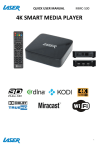
The 4tune HMS-1000T follows the same
beautiful front panel design as the
company’s Sound+Image award-winning
HDR-7510T, with a central control circle
and touch-sensitive power button flanking
a clear panel (slightly golden on this
model — a champagne finish, as Humax
calls it) behind which the 10-digit white
LED display seems to float as it delivers
either the time when in standby, or the
channel and other contextual information
when it’s in use.
A flap on the front right drops to
give access to USB and SD card slots plus
the user-removable hard-drive cartridge
(middle image). This is additional space
to the internal 1TB drive, allowing
you to insert a 2.5-inch drive; Humax
recommends Seagate-certified models.
(Humax itself uses video-spec drives
designed for 24/7 recording and heavyduty work). But don’t preload your drive
with files, as the Humax will format it
on insertion.
Still further external hard drives can
be added to either front or back USB slot,
up to 1TB in size.
Also around the back are the fairly simple
set of signal connections (bottom image) —
antenna in and out, HDMI out, Ethernet for
networking (it also has built-in Wi-Fi, if no
Ethernet link is available), plus audio on
analogue RCA sockets or as an optical output.
and reverse skip can be customised — we set
forward-skip to one minute, reverse to 15
seconds, and were able to bypass ad breaks
accurately in a second or two. Take that,
Freeview! Conventional FF and RW are
available in six steps up to 64×. There doesn’t
appear to be a frame advance or slo-mo option
in either direction.
Multiscreen — share to any device. Then
there’s the ability to stream two separate
channels to smart devices on the network —
tablets or smart phones. To investigate this we
downloaded not one but three dedicated iPad
apps (‘Live TV’, ‘Media Player’ and ‘Remote’),
and also set up an account at Myhumax.net in
order to ensure the 4tune was properly linked
to these (which was one of the recurring
glitches during our time with the 4tune; the
apps wouldn’t always ‘see’ the 4tune if HbbTV
was enabled). The three apps all inter-relate
internally so that a single app with three
internal options might have been just as easy,
but they worked reliably and intuitively for us.
The ‘Live TV’ app presents a channel list and
full screen live free-to-air telly, sent across
the network from the Humax to our iPad. It
The 4tune can also send its audio output via
Bluetooth to, say, a wireless speaker or soundbar
— Humax offers the slim Blade soundbar, which
we reviewed in our Aug-Sep issue.
At back left is the flying mains cable and a
hard on/off switch, useful to remember should
you ever need to reboot.
looked perfect on the tablet, sound was always
in sync, and offered a great way to watch in
bed or have sport running on a second screen.
With this available, you might even decide to
do away with smaller TVs in some rooms.
Recording direct from EPG. Even better, you
can schedule recordings or shows and whole
series from your tablet — indeed the tabletbased guide is by far the best way to check
upcoming programing and set recordings.
The guide on the Humax 4tune itself is well
designed, but it displays only five channels
at once, and gives each show a good chunk
of screen estate so that moving forward in
time from, say, noon to 7.30pm might need