1
XMLPDF 5.5.7 Programmers Guide
November 2006
22: Merging Data
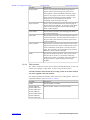
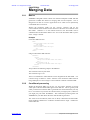
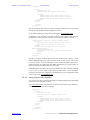
<coursedata>
...
<course>
<code>COMP 101</code>
<name>Introduction to Computer Science</name>
...
<students>
<student number='10101' name='M Jones' age='30'/>
<student number='20202' name='K Jackson' age='20'/>
<student number='30303' name='Wilbur Fish' age='40'/>
</students>
</course>
<course>
...
</course>
</coursedata>
We can expand on the previous looping example to add an inner loop which
iterates over the students who are taking each course.
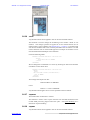
To list all the students by course we use the template coursestudents.xml
In addition to the <foreach> loop seen in the previous example this template
contains the a nested <foreach> element to loop over the students, like this:
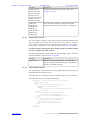
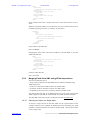
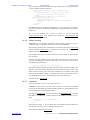
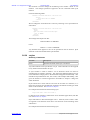
<foreach iterator='course-itr' xpath='/coursedata/course'>
<block>
Course code <merge root='course-itr' xpath='code'/>
Name: <merge root='course-itr' xpath='name'/>
</block>
<foreach iterator='student-itr' root='course-itr'
xpath='students/student'>
<block indent-left='6cm'>
Student Name: <merge root='student-itr' xpath='@name'/>
</block>
</foreach>
</foreach>
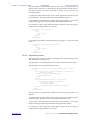
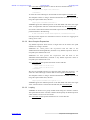
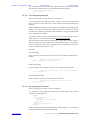
The inner <foreach> element specifies the root attribute root='course-itr'. This
makes XMLPDF apply the xpath attribute based on the current node in the
'course-itr' iterator. If the root attribute is not specified the XPath expression is
applied from the root node in the data XML (which does give you the ability to
loop over another unrelated collection of records).
XMLPDF applies the XPath expression specified on the outer <foreach> element
to get a list of course XML nodes from the data XML. Then the XPath
expression from the inner <foreach> is evaluated to get a list of students for that
course. This creates coursestudents.pdf.
22.3.5
Using Selection with <foreach>
It is possible to select a subset of the nodes in an XML element using the XPath
expression on the <foreach> element.
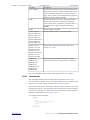
The coursedata.xml file specifies a list of courses and for each course specifies a
list of students taking the course, like this:
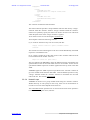
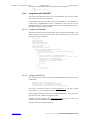
<coursedata>
...
<course>
<code>COMP 101</code>
<name>Introduction to Computer Science</name>
...
<students>
<student number='10101' name='M Jones' age='30'/>
<student number='20202' name='K Jackson' age='20'/>
<student number='30303' name='Wilbur Fish' age='40'/>
</students>
</course>
<course>
...
</course>
</coursedata>
www.xmlpdf.com
xmlpdf user manual page 64 of 101