1
XMLPDF 5.5.7 Programmers Guide
November 2006
26: Reference
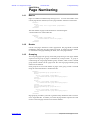
XMLPDF automatically maintains a document outline which is used to number
headings and subheadings and to generate the outline which Acrobat displays on
the left side of the screen. Use of this feature is optional. Each heading in the
document is created using an auto-sequence-inc element which defines the
heading at a given level in the outline hierarchy and increments the current
heading number at the level specified.
The auto-sequence-get element retrieves the current heading name (not number)
for the specificied level.
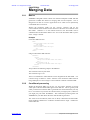
For example at the start of the document we might call the first chapter
'Introduction'. Because this is a chapter level heading its level attribute will be 1.
Below the Introduction we want a second level header called 'Overview'. This is
done as follows:
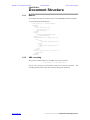
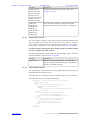
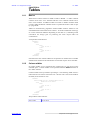
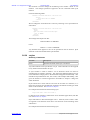
...
<auto-sequence-inc level='1' name='Introduction'/>
<auto-sequence-inc level='2' name='Overview/>
...
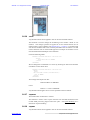
This creates a hierarchy like this:
1 Introduction
1.1 Overview
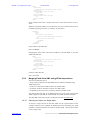
Having set the title for the current level of the outline we can retrieve it and insert
it into the document using the auto-sequence-get-name element. Specifying the
level attribute on the element determines which heading is inserted into
document.
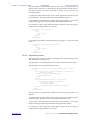
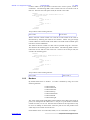
For instance the element <auto-sequence-get-name level='1'/> would insert the
string 'Introduction' into the document. If we change the level to '2', as in
<auto-sequence-get-name level='2'/> we would insert the string 'Overview' into
the document.
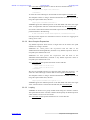
The auto-sequence-get-name element has an attribute called uid which is used to
specify a unique identifier for this heading when it appears in the document.
This uid can then be used to create a cross reference in the document using the
xref element. See Section 26.42, "<xref>".
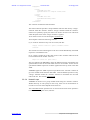
26.3
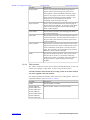
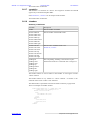
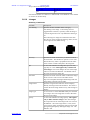
<auto-sequence-inc>
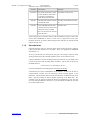
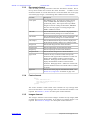
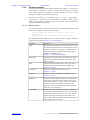
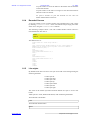
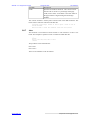
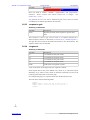
Summary of attributes
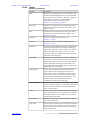
Attribute
Description
level
The level of the hierarchy for which to set the name and
increment the counter.
name
The title to be given to this level in the hierarchy.
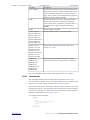
XMLPDF automatically maintains a document outline which is used to number
headings and subheadings and to generate the outline which Acrobat displays on
the left side of the screen. Use of this feature is optional. Each heading in the
document is created using an auto-sequence-inc element which defines the
heading at a given level in the outline hierarchy and increments the current
heading number at the level specified.
After each heading is defined it becomes the current heading for that level until a
new heading is defined. The auto-sequence-get and auto-sequence-get-name
elements are used to retrieve the current heading number and name.
www.xmlpdf.com
xmlpdf user manual page 76 of 101