1
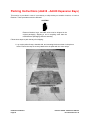
Installing the NAS Rack
The NAS (Network Attached Storage) component of the AA238 - AA638 is shipped separately and
must be mounted on top of the library chassis. The following instructions and pictures explain how this
is done. This installation should be performed by Plasmon trained service personnel.
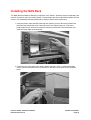
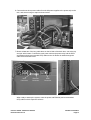
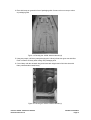
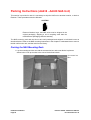
1. Using two people, place the NAS mounting rack squarely on top of the library chassis with
the power strip toward the back. Fasten the rack to the chassis using six 1/4-20 truss
head phillips screws. Place three screws across the front and three across the back just
inside the lower edge as shown below.
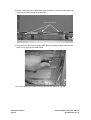
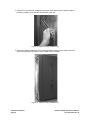
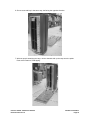
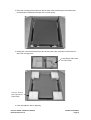
2. Fasten the rack side panels to the library chassis using four 4-40 x 1/4 flat head phillips
screws. Place two screws on the front and two on the back, one at each corner, as shown
below.
Plasmon AA238 - AA638 User Manual
Document Revision A
Hardware Installation
Page 19