1
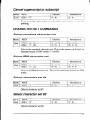
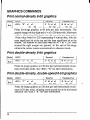
Select master print mode
Mode
ASCII
Both
<ESC>
Decimal
“!”
n
27 33
Hexadecimal
n
1B
21
n
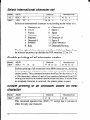
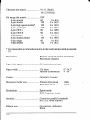
Selects a combined print mode according to the value of n. The
value of n is the sum of the values given below for the desired characteristics.
Examples: n = 1 gives elite; n = 9 (1 + 8) gives emphasized elite; n
= 137 (1 + 8 + 128) gives underlined emphasized elite.
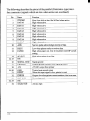
n value
128
64
32
16
8
4
2
1
Function
Underline
Italic [*l]
Expanded
Double strike
Emphasized
Condensed [*2]
Proportional [ *2]
Elite [*2]
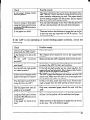
[*l] Ignored if the (STYLE)buttonwas pressed during power-up.
[*2] Ignored if the (PITCH)button was pressed during power-up.
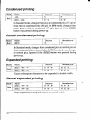
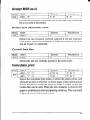
Increase character spacing
Mode
ASCII
Std.
<ESC>
Hexadecimal
Decimal
<SP>
n
27 32
n
1B
20
n
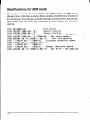
Increases the space between characters by n/240 inches, where n is
a number from 0 to 127. Used in microjustification.
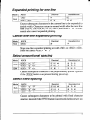
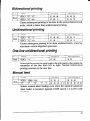
Select double or quadruple size
Mode
Both
Decimal
ASCII
<ESC>
“h”
n
27 104
n
Hexadecimal
1B
66
n
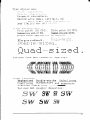
Selects the size of subsequent characters as shown below. Extrahigh characters align along the cap-line of normal characters, with
the base line temporarily moving down. Line spacing is temporarily
doubled when n = 1,5 or 6 and quadrupled when n = 2. To print
correctly when n = 3,4,5 or 6, set the line spacing to 24/216 (l/9)
44