1
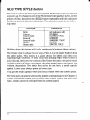
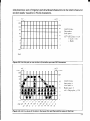
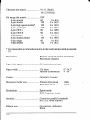
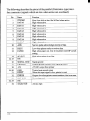
Number of columns
Pica
Elite
Condensed pica
Condensed elite
Proportional
CPI
10
12
17.1
20
136
163
233
272
Variable
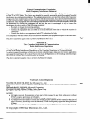
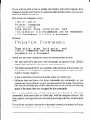
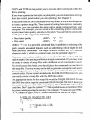
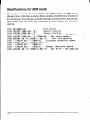
Sometimes the software installation will ask you for an initialization
sequence to return to the default settings. The command for your printer is
<ES0 @.
Make sure that the DIP switches are set for the right printer emulation, and
that you have selected the appropriate character set using the DIP switches.
If you are in doubt about the configration of your application software, seek
expert advice. Your software supplier will probably be your most convenient reference.
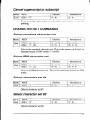
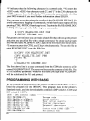
EMBEDDING
PRINTER COMMANDS
Many word-processors and other software lack commands for changing
type style, or printing double-size characters, and some do not even support
bold printing or italics. Your printer therefore has commands that can be
embedded in documents to control these functions without software help.
The commands consist of a capital letter enclosed in double parentheses,
followed by a digit:
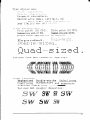
Type style (Font):
((F))O
((F))l
m-9)2
W))3
c(P))9
C(S))3
Standard size
Double width
Double height
Double width and height
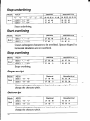
Bold:
W)O
NW) 1
Non-bold
Bold
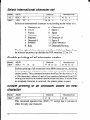
Italic:
((I))0
((1))1
Non-italic
Italic
Size:
(WXJ
((S)) 1
KS)P
78
Courier
Sanserif
Orator with small capitals
Orator with lower case
Draft