1
USING HELP
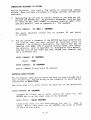
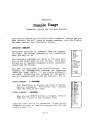
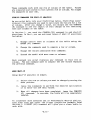
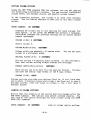
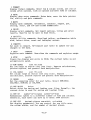
ProfitPla n further aids you with the HELP command. The HELP
command will give you a 3-line descriptio n of any command in the
ProfitPlan menu. Try an example.
ENTER COMMAND:
7 <RETURN>
Choose the help command.
WHICH COMMAND (1-150):
31 <RETURK>
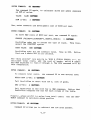
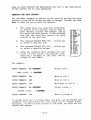
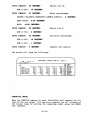
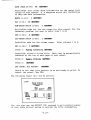
ProfitPla n asks which command you need help with. After
keying RETURN, ProfitPlan displays the following descriptio n
for command 31 on the bottom three lines of the screen.
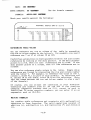
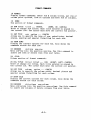
31 ENTER
value ••• CAN (up,down ,right,left ,can)
Enters values into table. Constant, grow, increase options
allow quick entry. Cursor keys allow individua l data entry.
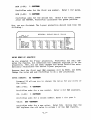
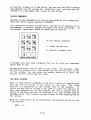
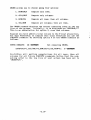
Of course,the HELP command only gives a 3-line descriptio n. For
a comprehen sive descriptio n, you can always consult this manual.
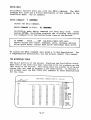
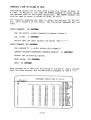
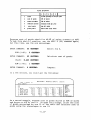
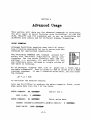
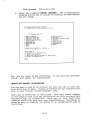
THE MICROPLAN TABLE
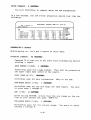
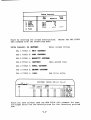
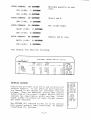
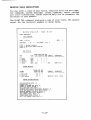
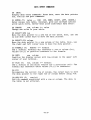
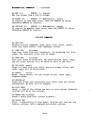
The major portion of the screen displays the ProfitPla n table.
Each row of the table has been labelled with row numbers on the
left side of the screen. Following each row number is 12 blank
spaces that are used to display a row descriptio n. In Section 1,
you already used the ROW TITLE (20) command to enter descriptio ns
for the rows.
ROW
ROW
1
2
3
4
5
6
7
8
9
10
11
12
13
14
15
16
17
1
MODE=NORMAL
<--
ORDER=R/C ROW=l-50
COL•l-20
1
FORMAT:
2 DATA:
----1-------2-------3-------4-------5---3 MATH:
O.O
O.O
0.0
0.0
O.O 4 PRINT:
0.0
O.O
O.O
o.o
0.0
0.0
0.0
O.O
0.0
0.0
O.O
o.o
o.o
o~o
0.0
0.0
O.O
0.0
O.O
o.o
0.0
O.O
O.O
O.O
O.O
O.O
O.O
o.o
o.o
o.o
O.O
0.0
-2.2-
0.0
0.0
0.0
o.o
0.0
0.0
0.0
0.0
0.0
0.0
O.O
o.o
o.o
o.o
0.0
0.0
0.0
0.0
0.0
o.o
0.0
0.0
0.0
0.0
0.0
0.0
O.O
o.o
o.o
o.o
0.0
0.0
0.0
0.0
0.0
5 UTILITY:
6 COMPUTE
7 HELP
o.o
8
0.0
0.0
0.0
0.0
0.0
0.0
0.0
9 STOP
10 ROW RANGE
11 COL RANGE
12 ORDER
13 SET DRIVE
14 SET UP
15 SET CRT
o.o
o.o
o.o
0.0
0.0
16
17
18 FORMAT:
19
ROWS:
20 ROW TITLE