1
MAP-2000 / MAP-2000R Management Manual
Rev 1.0
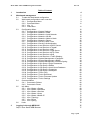
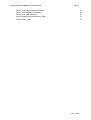
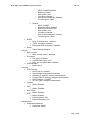
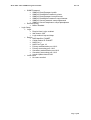
Table of Content
1
2
3
Introduction
Web based management
2.1
To start the Web based configuration
2.2
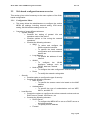
Web based configuration menu overview
2.2.1 Configuration Menu
2.2.2 Command Menu
2.2.3 Info 11
2.2.4 Links Menu
2.3
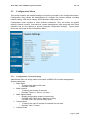
Configuration Menu
2.3.1 Configuration->System Settings
2.3.2 Configuration->Network->WAN
2.3.3 Configuration->Network->Local Network
2.3.4 Configuration->Network->WLAN
2.3.5 Configuration->Network->Node to Node
2.3.6 Configuration->Network->Route
2.3.7 Configuration->Security->MAC Filter
2.3.8 Configuration->Security->Authentication
2.3.9 Configuration->Local Services->DHCP-Server
2.3.10 Configuration->Local Services->Firewall
2.3.11 Configuration->Local Services->NAT
2.3.12 Configuration->Local Services->VPN Server
2.3.13 Configuration->Local Services->NTP-Client
2.3.14 Configuration->Local Services->QoS
2.3.15 Configuration->Local Services->Traffic Shaping
2.3.16 Configuration->System Management->Password
2.3.17 Configuration->System Management->SNMP
2.3.18 Configuration->System Management->Remote-Syslog
2.3.19 Configuration->Login Setup->Login Parameters
2.3.20 Configuration->Login Setup->Radius
2.3.21 Configuration->Login Setup->Local Users Database
2.3.22 Configuration->Login Setup->Customize
2.3.23 Configuration->Login Setup->Webspace
2.3.24 Configuration->Tools->Ping
2.3.25 Configuration->Tools->Download
2.3.26 Configuration->Tools->Firmware Update
2.3.27 Configuration->Tools->Settings
2.4
Command Menu
2.4.1 Command->Reboot
2.4.2 Command->Reset
2.5
Info Menu
2.5.1 Info->Status->System
2.5.2 Info->Status->Interfaces
2.5.3 Info->Status->Services
2.5.4 Info->Status->Users
2.5.5 Info->Status->Mobile IP
2.5.6 Info->Topology
2.5.7 Info->Route
2.5.8 Info->Syslog
2.6
Links
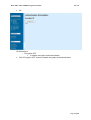
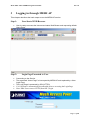
Logging in through MESH AP
Step 1: User Starts WEB Browser
4
7
7
9
9
11
11
12
12
13
16
16
19
22
23
26
30
32
36
38
38
40
41
42
43
44
44
49
51
52
60
60
62
62
64
66
66
66
67
68
69
71
72
72
72
73
75
76
77
77
Page 2 of 80