1
Table of Contents
2.8.1
2.8.2
2.8.2.1
2.8.2.2
2.8.2.3
2.8.2.4
User Manual Tx800
RAM Mount System ................................................................................................24
Mounting Procedure.................................................................................................25
Step 1 – Mount Vehicle RAM Ball(s)............................................................................... 25
Step 2 – Prepare Tx700 or Tx800 ..................................................................................... 26
Step 3 – Attach Keyboard to Bracket................................................................................ 28
Step 4 – Attach Tx700 or Tx800 and Keyboard Assembly to RAM Base........................ 29
2.8.3
Completed Assembly ...............................................................................................29
2.9 Installation of peripherals.............................................................................. 30
2.9.1
Supplying power to peripherals................................................................................30
3
SYSTEM CONFIGURATION
31
3.1
Introduction .................................................................................................... 31
3.2
Soft Keyboards............................................................................................... 31
3.3 Trux Manager.................................................................................................. 32
3.3.1
Trux Manager for Tx700..........................................................................................32
3.3.1.1
3.3.1.2
3.3.1.3
3.3.1.4
3.3.1.5
3.3.2
3.3.2.1
3.3.2.2
3.3.2.3
3.3.2.4
3.3.2.5
Main Tab ........................................................................................................................... 32
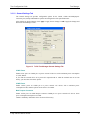
General Settings Tab ......................................................................................................... 33
UPS Tab ............................................................................................................................ 35
Display Backlight Tab....................................................................................................... 36
Advanced Tab ................................................................................................................... 37
Trux Manager for Tx800..........................................................................................38
Main Tab ........................................................................................................................... 38
General Settings Tab ......................................................................................................... 39
UPS Tab ............................................................................................................................ 41
Display Backlight Tab....................................................................................................... 42
Advanced Tab ................................................................................................................... 43
3.4 Wedge.............................................................................................................. 44
3.4.1
Configuration ...........................................................................................................44
3.5 Touchscreen ................................................................................................... 45
3.5.1
Using the stylus to select screen objects ..................................................................45
3.5.2
Calibrating the touchscreen ......................................................................................45
4
WIRELESS NETWORK CONFIGURATION
47
4.1 802.11 Radio ................................................................................................... 47
4.1.1
802.11b/g Radio .......................................................................................................47
4.1.1.1
4.1.1.2
4.1.1.3
4.1.1.4
4.1.1.5
4.1.1.6
4.1.1.7
4.1.1.8
4
Wireless Zero Config ........................................................................................................ 47
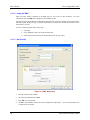
Using the BWU ................................................................................................................. 48
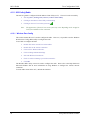
No Security........................................................................................................................ 48
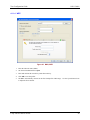
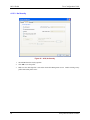
WEP .................................................................................................................................. 49
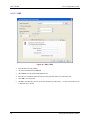
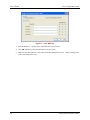
LEAP................................................................................................................................. 50
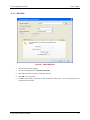
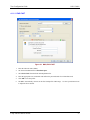
WPA-PSK ......................................................................................................................... 51
PEAP/MS-CHAP .............................................................................................................. 52
PEAP-GTC........................................................................................................................ 53
E-EQ-TRUXCONFIG-D-ARC