1
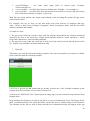
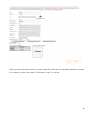
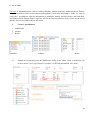
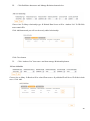
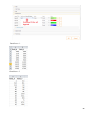
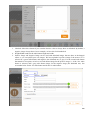
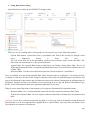
Chapter 4. App Updates and Distribution of Changes. There are 2 ways to update your app content after the app is already live in the Apple app store or Google Play. 1. Resubmit. Resubmit is needed if you want to change: Splash screen, icon; Name of the app, description, keywords, category, app website and the language. If you add new elements (tabs/buttons) which are not supported by current submitted app version you will get the message telling you to Resubmit your app. In this case your app will go to Apple for approval. It will take a few days. 2. Publish. You need to click on Publish button when you want to make the following changes: App color theme; Content of the tabs and elements (phone number, email, text, Url etc…) and their order in the app; The name of tabs and elements, its icons. The changes will get visible the next time your app users run the app. If you still are not sure which to choose – click Publish, if it’s not enough to get the updates, you will get the Resubmit option. Snappii CMS benefits Using a Mobile CMS like Snappii has the following advantages over hiring a programmer for every app: - You can get the app built and out much faster on Snappii. Days vs Months - You can develop apps at a fraction of the cost of outsourcing to even offshore programmers. $250/mo fee plus app maintenance, new features and support vs many thousands of dollars per app - Apps built with Snappii mobile CMS are cheaper to maintain. You don't have to wait for programmers to make changes - Apps built with Snappii mobile CMS are faster to update and keep current - Apps built with Snappii mobile CMS are great when requirements are not known and or will change often - Apps built with Snappii mobile CMS are faster to update. Click "publish" and updates are distributed to many thousands of mobile devices at once. The only advantage of hiring programmers is that they will create apps for you that Snappii is not flexible enough to handle. 12