1
CAMERA SETTINGS
CONNECTION
HME (Highlight Masking Exposure)
When a room containing bright lights is imaged, auto‐exposure calculations usually
result in images that are mostly underexposed except for the lights. With Highlight
Masking Exposure, very bright lights are masked from the exposure calculation
producing results that have a higher dynamic range of intensities.
IFC (Intensity Fallout Compensation)
CCTV lenses produce a non‐uniform intensity across the field of view of the camera.
With the automatic non‐uniformity correction feature turned on, the camera normalizes
for the radiometric fallout towards the edge of the image. As a result, the imagery has
a uniform illumination over the entire field of view.
DRC (Dynamic Range Compressor)
The camera's integrated DSP extends the dynamic range of the image by automatically
adjusting the darker areas of scenes that also have bright areas. Unlike traditional BLC
that adjusts the image as a whole, the DSP selects and processes many small regions
for optimum dynamic range scaling.
CAUTION :
Check for polarity when using a DC 12V / AC 24V.
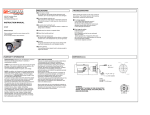
CAMERA SETING ANGLE
※ ATTENTION
1. Do not rotate ① more than 360˚.
2. Do not twist ② many times unnecessarily.
CONTROL BOARD & LENS ADJUSTMENT
OSD controller
Video Test Output
Connector
FUNCTIONAL OF CONTROL BOARD
[1]Functional control of O.S.D(On Screen Display)
[2]Functional of VIDEO OUT(2ND)
1
2
1. Rotate Zoom lever with the supplied Allen key.
2. Rotate Focus lever with the supplied Allen key.