1
ADJUSTMENT
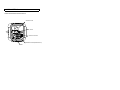
*Adjustment of Back Focus
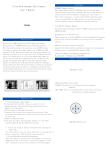
1. Please check the lens to see if it is a C mount or CS mount.
To use C mount lens', please fix the lens into front camera after
mounting included C ring to lens.
To use CS mount lens, please fix the lens directly into front
camera
Focus adjustment
2. To adjust the focus, slide the focus lever on the side of the front
camera. In case of the vari focal lens, adjust the focus lever where the
lens is focused in focusing position "wide" and "tele"
3. Please tighten the focus lever after the adjustment in order to
prevent being out of focus.
Focus
Zoo
ADJUSTMENT
L
b
f
*Adjustment of DC Lenses
To adjust a lens with automatic iris (DC driven) to the camera, please
proceed as follows:
1. Turn the Level potentiometer to the max. position H (turn right).
The monitor picture then appears to be too bright.
2. Slowly turn the Level potentiometer back until the monitor picture
appears to be perfect and is not too bright. Then turn the
potentiometer back to the right (in direction ”H”) just a little bit.
3. Check the lens performance by using the camera under changing
lighting conditions.