1
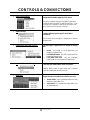
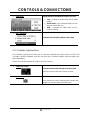
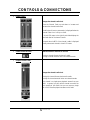
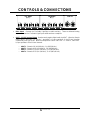
CONTROLS & CONNECTIONS • Clock Source Selector Changes the FireStudio LightPipe Clock Source This option is used to slave the FireStudio LightPipe to an external device via ADAT or BNC Word Clock. If you are using your FireStudio LightPipe as the master clock source, set the Clock Source to “Internal” • Advanced Menu Provides additional options specific to Windows functionality Click on the arrow to the right of “Advanced” to view the pulldown menu. • Sample Rate Lock Mode (PC Only) Sets which types of applications can change the Sample Rate. • Enable WDM Audio (PC Only) Unlock. Any WDM or ASIO application can change the Sample Rate. Lock WDM/Windows. Only ASIO applications can change the Sample Rate. Lock WDM and ASIO. Only the FireStudio LightPipe Mixer can change the Sample Rate. Unchecking this disables WDM audio in Windows. Disabling WDM Audio is useful when the FireStudio LightPipe is dedicated for DAW use only. • Speed (PC) Changes how the FireStudio drivers’ buffer size is set. Normal Mode. Input and Output buffers are both identical to the Buffer Size. Safe Mode 1-3. Increases the output buffer size for added stability. 19 | PreSonus 2008