1
• Connected to printers.
• Music application.
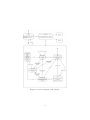
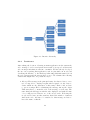
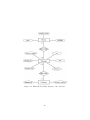
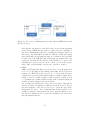
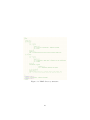
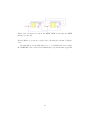
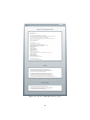
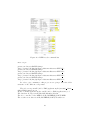
We made a state-diagram in order to figure out how should be the system
that can run this type of applications as you can see on Figure 2.1.
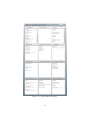
And then we made the following use-cases to determine in which one we
should focus as main application and what we should need to implement
that:
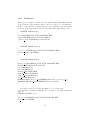
Use case: Search for a place in the RLC plan.
Actor: User.
Goal: Look at the plan searching for a place or information and finding it.
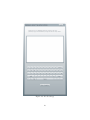
Description: A user browses between the different apps, selects Rolex Learning Center (RLC) plan and uses a search bar with a virtual keyboard or
moves the plan with touch gestures until finding the place. After that, he
closes the app.
Needs: app browser, app player, touch screen.
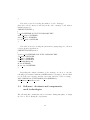
Use case: Browse between different apps.
Actor: User.
Goal: Exploring the different apps.
Description: When a user approaches the device, it should recognize him
with person detection or using the touch screen. The user browses between
the apps with the appropriate technique.
Needs: app browser, app player, touch screen, camera, person recognition,
touch recognition.
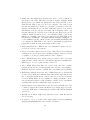
Use case: Configuring the RSS aggregator.
Actor: User.
Goal: Customize the personal aggregator.
Description: After browsing between the different apps and selecting the
RSS aggregator, the user has to identify himself in order to customize his
personal aggregator by means of face recognition or login or student card.
This aggregator offers the user the possibility of browsing the web and adding
RSS feeds or disposing them with touches or gestures.
Needs: app browser, app player, web browser, touch screen, camera, database
(storage about the user options), RFID.
8