1
The ADP15 Quick User Guide
The Front Control Panel
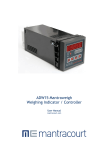
All user controls, displays and indicators are mounted on the front panel which provides a 4.5 digit, LED display four flush mounted
keys and three LED indicators.
The front panel components are identified as follows:D1 - 1/2 digit
D2 - Decade 1
D3 - Decade 2
D4 - Decade 3
D5 - Decade 4
PGM - Program Mode
SP1 - Set Point 1
SP2 - Set Point 2
Front Panel Guide
d
b
Used to scroll through and change the set up data by
displaying mnemonics for each configurable parameter,
followed by the appropriate data. When in programming
mode it should be noted that the first digit in the display
may not be visible, but the program indicator light PGM
will be flashing to indicate that the instrument is in
programming mode, even though no digits can be seen to
be flashing.
The d key has a secondary function when not in
programming mode. In conjunction with the b key a
print function can be initiated. (If a print option is
fitted.)
The d key has a secondary function when not in
programming mode. In conjunction with the b key a
print function can be initiated. (If a print option is
fitted.)
Selects the display digit required. Selection value is
indicated by a flashing digit and flashing PGM indicator
light.
It also operates as a control key in conjunction with:
The d key for a print function from the rear panel
remote.
The c key for Peak Hold / Latched Relay Reset
The a key for an Count Reset function.
c
Increments each selected display digit 0-9.
Pressing the c key under programming conditions will
display the leading digit as either 1, -1, or a blank display
for zero.
The secondary function operates as a Peak Hold / Latched
Relay Reset in conjunction with the b key.
a
Resets the display to the input variable and enters new data
in the ADP15-FPT memory. Returns the display to the
current value after Hold.
The secondary function operates an Count Reset in
conjunction with the b key
NOTE: Secondary functions require the b key to be pressed
and released, followed within 1 second by the appropriate
function key.
b then d for Print Select
b then c for peak Hold/Latched Relay Reset
b then a for Count Reset
If during the programming sequence, selection is not completed, the display will revert to the input variable after 30 seconds.
The display module is fitted with 2 security links which, when removed, allows the user to disable keypad programming.
The Configurable Parameters
•
•
•
These parameters or programmable functions are provided in the ADP to allow the user good flexibility for monitor and control
applications.
Parameters are included as constants in the ADP database and are accessed and checked via the keypad or the communications
port.
Data which is entered by the user is retained by EEPROM for up to 10 years without back up power.
• New data, when entered, overwrites previous entries when the a or d key is pressed unless the EEPROM has been disabled via
the communications port.
1
Mantracourt Electronics Limited ADP User Manual