1
Annex A Controls and dialog boxes.
66
Note. There is no difference between these two settings for single session disc.
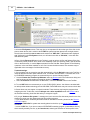
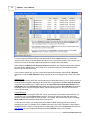
Audio Read Overlap (default and minimum values are 0, maximum value is 7)
Sets the number of overlapping sectors for DAE Quality test. This may be useful to determine the
value of overlap for so-called "jitter correction" while reading CD audio data.
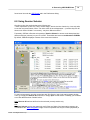
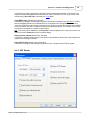
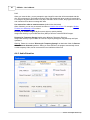
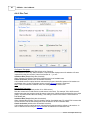
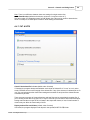
A 4.7. FAT & NTFS
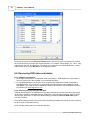
Check if the deleted file is in use (default value Checked)
If Checked, the program always tests whether each cluster of deleted file is "in use" or not. In other
words, CDRoller tries to test an integrity of the deleted file. If any of the clusters of a deleted file are "in
use", this can indicate that the cluster was reassigned to another file and part of the deleted file was
overwritten by another.
There are many scenarios of cluster allocations and how files may be overwritten by another files. If
you're looking for the data of big video file, it may be useful to try to find the file with unchecked option.
Having assumed the most part of file is located in the sequential clusters, a loss of small number of
clusters may not affect the functionality of all file.
Display deleted files and folders (default value Checked)
If Checked, the program displays found objects in the special $LOST FILES$ folder.
© 2003 - 2015 Digital Atlantic Corp.