1
6. Recovering CD/DVD/BD Data.
26
6.6.6. Making a new DVD with recovered video.
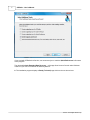
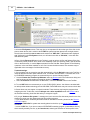
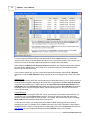
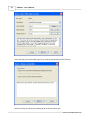
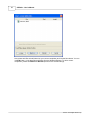
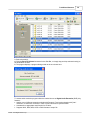
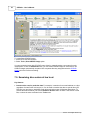
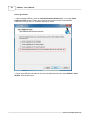
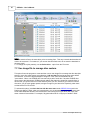
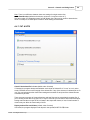
Just click Burn button in the Main ToolBar, select Make a new DVD with recovered video and click
the Next button.
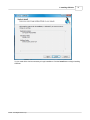
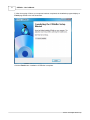
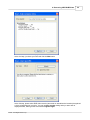
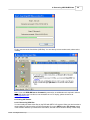
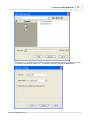
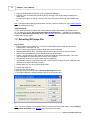
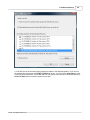
Further, using a simple "step by step" procedure, you select DVD burner (computer DVD drive), add a
video (MPG files) into your compilation and, finally, burn a new DVD-video disc that can be played
back in the most DVD players.
In addition, you can load the recovered MPG or VOB files into your DVD-authoring software, for
example: Sony Picture Motion Browser, Windows Vista / 7 DVD Maker, Sonic MyDVD, Nero Vision,
etc.
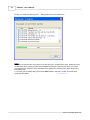
Note. To replicate successfully finalized DVD-video disc, you can extract ISO Image file first, and then
burn it to a new (blank) DVD.
6.7. Recovering files from UDF discs in ISO mode.
Sometimes, CD/DVD/BD mastering software places ISO/Joliet file system on the UDF disc. If the disc
contains both UDF and ISO 9660 file systems it shall be known as a UDF Bridge disc. This UDF
Bridge disc will allow playing DVD-ROM media in computers which may only support ISO 9660. An
example of UDF Bridge disc may be DVD-Video disc created for DVD players.
By default, CDRoller reads the contents of UDF partition, because this is an universal way to find and
recover the lost data. However, UDF directories can become corrupted due to errors of CD/DVD/BD
mastering software, bad quality of DVD media and some hardware problems. A solution can be to try
to read the disc in ISO mode:
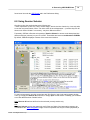
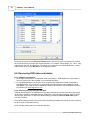
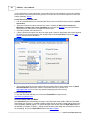
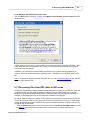
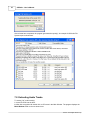
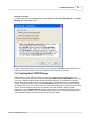
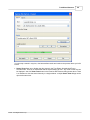
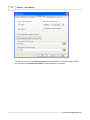
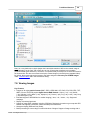
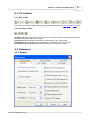
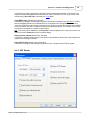
· Click the Preferences button in the Tool Bar and check the Read only ISO 9660 tracks box under
the Browser tab in the Preferences dialog. Click the OK button to close the Preferences.
© 2003 - 2015 Digital Atlantic Corp.