1
Content
Chapter 1
Product Overview
1.1.
Supported Models . . . . . . . . . . . . . . . . . . . . . . . . . . . . . . . . . . . . . . . . . 1
1.2.
Specifications . . . . . . . . . . . . . . . . . . . . . . . . . . . . . . . . . . . . . . . . . . . . 2
1.3.
Hardware Views . . . . . . . . . . . . . . . . . . . . . . . . . . . . . . . . . . . . . . . . . . 8
1.4.
Chapter 2
2.1.
1.3.1
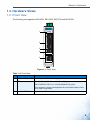
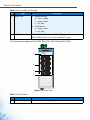
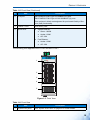
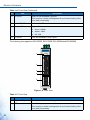
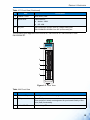
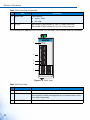
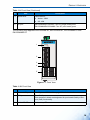
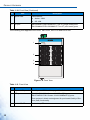
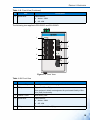
Front View.................................................................................. 8
1.3.2
Rear View ................................................................................ 24
1.3.3
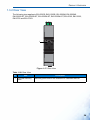
Top View.................................................................................. 28
1.3.4
Bottom View............................................................................. 31
Packing List . . . . . . . . . . . . . . . . . . . . . . . . . . . . . . . . . . . . . . . . . . . . . 33
Switch Installation
Installation Guidelines . . . . . . . . . . . . . . . . . . . . . . . . . . . . . . . . . . . . . 35
2.1.1
2.2.
Verifying Switch Operation . . . . . . . . . . . . . . . . . . . . . . . . . . . . . . . . . 35
2.3.
Installing the Switch. . . . . . . . . . . . . . . . . . . . . . . . . . . . . . . . . . . . . . . 36
2.4.
2.5.
2.3.1
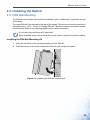
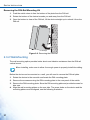
DIN Rail Mounting.................................................................... 36
2.3.2
Wall-Mounting.......................................................................... 37
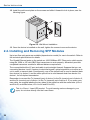
Installing and Removing SFP Modules . . . . . . . . . . . . . . . . . . . . . . . . 39
2.4.1
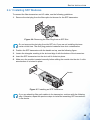
Installing SFP Modules ............................................................ 40
2.4.2
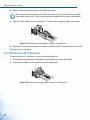
Removing SFP Modules .......................................................... 41
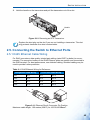
Connecting the Switch to Ethernet Ports. . . . . . . . . . . . . . . . . . . . . . . 42
2.5.1
2.6.
Chapter 3
i
Connecting Hardware .............................................................. 35
RJ45 Ethernet Cable Wiring .................................................... 42
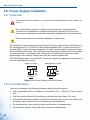
Power Supply Installation . . . . . . . . . . . . . . . . . . . . . . . . . . . . . . . . . . 43
2.6.1
Overview.................................................................................. 43
2.6.2
Considerations ......................................................................... 43
2.6.3
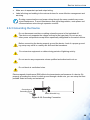
Grounding the Device .............................................................. 44
2.6.4
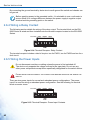
Wiring a Relay Contact ............................................................ 45
2.6.5
Wiring the Power Inputs........................................................... 45
Configuration Utility
3.1.
Overview . . . . . . . . . . . . . . . . . . . . . . . . . . . . . . . . . . . . . . . . . . . . . . . 49
3.2.
Enabling ProView Function . . . . . . . . . . . . . . . . . . . . . . . . . . . . . . . . . 49
3.3.
Installing the Configuration Utility . . . . . . . . . . . . . . . . . . . . . . . . . . . . 50