1
Page 3
Console Programming Tips - AutoMod September 02
AutoMod, or Automatic Modification, is a feature that has
been available in Strand consoles from back in the time of
the Galaxy range. Its basic aim is to deal with situations
such as “My downstage centre warm cover light has
blown. I can’t replace it now, but I need light downstage
centre for the rest of the show. The cool cover light will be
better than nothing!” To achieve this on many consoles
you’d have to go through the show manually re-plotting
cues to use the cool light (let’s say this is channel 2)
instead of the warm light (channel 1, say). And you’d have
to remember to change it back the next day after fixing the
warm light!
With AutoMod on 300-, 400- and 500- series consoles,
you tell the console to replace channel 1 with channel 2,
then let it do the rest!
Go into the AutoMod display by pressing:
{MORE} {AUTOMOD} (these are soft keys)
Then type: [2] {A-MOD FROM} [1] [*]
The screen will show “2.1 = 1.1”, which means that channel 2 will be replacing channel 1 when you turn AutoMod
on.
Turn AutoMod on by pressing: {A-MOD ON}
Note: A “USING AUTOMOD” reminder will appear in
the corner of the screen.
Now run some cues, and you will see that whenever channel 1 used to come on, channel 2 will now come on to the
same level instead. Channel 2 will, of course, continue to
do it’s own cues as well, and if it ends up trying to do two
jobs in one cue, the higher level will take precedence. If
channel 2’s lamp is brighter or dimmer than 1’s, use:
tively:
[2]<UPDATE>{UPDATE A-MOD}<CUE>[1]<THRU>
[10][*]
would have applied the rule to just channel 2, so
channel 2 would now have copied channel 1’s behaviour in cues 1 through 10, but channel 1 would
have carried on doing whatever it was doing.
This is particularly useful when transferring moving
light information such as colour and gobo reference
groups from show to show. For example, if you had a
Pirouette as channel 1, and you added nine more
Pirouettes as channels 2 through 10, you would want
them all to have the same group information, particularly for colour, so enter:
[2] <THRU> [10] {A-MOD FROM} [1] [*]
<UPDATE>{UPDATE
<THRU>[999][*]
A-MOD}<GROUP>[1]
to copy all information; or
[2]<THRU>[10]{A-MOD
{COLOUR}[*]
<UPDATE>{UPDATE
<THRU>[999][*]
FROM}[1][@]<ATT>
A-MOD}<GROUP>[1]
to copy just the colour information, and the job is
done!
[2] {A-MOD FROM} [1] [@] [5] [*], or
[2] {A-MOD FROM} [1] [@] [+] [5] [*]
to scale channel 2’s intensity - in this case, to make it always 50% dimmer or 50% brighter than channel 1.
Though AutoMod has historically provided ‘on-the-fly’
modification, it is now possible to apply AutoMod changes
permanently (perhaps if it turned out that the show looked
better with the cool light downstage!):
<UPDATE>{UPDATE A-MOD} <CUE>[1]<THRU>[10][*]
will apply AutoMod rule changes permanently to cues 1
through 10. In the example above, channel 2 would now
have replaced channel 1 in cues 1 through 10. Alterna-
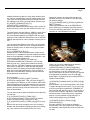
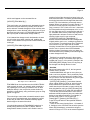
Programming at the London Eye for Nokia