1
Setting the DPOF
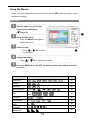
The Digital Print Order Format (DPOF) setting allows you to select images on the
memory card for printing and specify the number of print copies in advance using the
camera. This is extremely convenient for sending the images to a photo developing
service or for printing on a direct print function compatible printer.
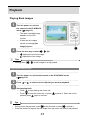
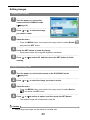
1
Turn the power on, and set the camera
to the PLAYBACK mode (
2
page 13).
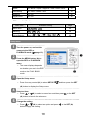
Open the menu.
y
Press the MENU button, then use the
four-way control to select DPOF (
)
and press the SET button.
s
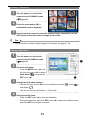
3
4
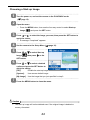
Press
or
to select [Single], then press the SET button.
y
To set the DPOF setting for all images, select [All] in this step.
y
To reset all DPOF settings to initial default, select [Reset] in this step.
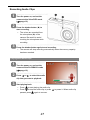
Press
or
to select the image you want to print out, then press the
SET button.
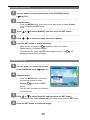
5
6
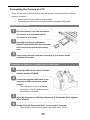
Set the number of copies.
y
Press
y
The number of copies can be set from 0 to 30.
y
To cancel this image DPOF setting, set the number of copies to 0.
or
to specify the number of copies.
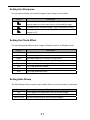
Print the date stamp out.
y
Press
and then press
or
to set or cancel the date stamp of
current image.
y
7
Repeat step 4~6 to other images for printing.
Press
and then press the SET button to apply the setting or press the
MENU button to cancel.
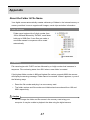
8
After you finished all image settings, select [
button to apply it.
43
] and press the SET