1
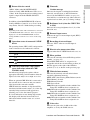
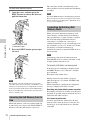
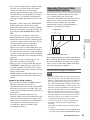
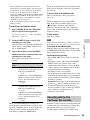
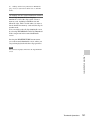
When a clip name is set with planning metadata,
the name is displayed under the depth of field
indication on the viewfinder screen.
Note
When you define both of ASCII format name and UTF8 format name with planning metadata, the UTF-8
format string is used as the clip name string. If you define
either of ASCII format name and UTF-8 format name
with planning metadata, the defined format name is
displayed though it is not selected by menu setting.
format name string can be used, the standard format
clip name is used.
You can use the Sony Planning Metadata Add-in
application software supplied with the CBK-WA01
Wi-Fi Adapter to define clip names. For details, refer
to the Operating Instructions supplied with the CBKWA01.
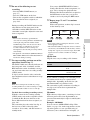
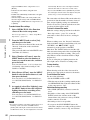
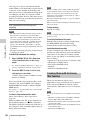
To set clip names
1
Load a planning metadata file that
contains clip names into this
camcorder.
2
Set OPERATION >Clip >Auto Naming
in the setup menu to [Plan].
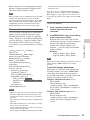
Clip name string example
<?xmlspversion="1.0"spencoding="
UTF-8"?>3
<PlanningMetadataspxmlns="http://
xmlns.sony.net/pro/metadata/
planningmetadata"spassignId="
P0001"spcreationDate="
2011-08-20T17:00:00+09:00"sp
lastUpdate="
2011-09-28T10:30:00+09:00"sp
version="1.00">3
<PropertiessppropertyId="
assignment"spupdate="
2011-09-28T10:30:00+09:00"sp
modifiedBy="Chris">3
<TitlespusAscii=" Typhoon "sp
xml:lang="en"> Typhoon_Strikes_Tokyo
</Title>3
</Properties>3
</PlanningMetadata>3
Notes
• When you create a file, enter each statement as a single
line with a CRLF only after the last character in the
statement line, and do not enter spaces except where
specified.
• Up to 44 bytes (or characters) string is available for the
clip name.
If the UTF-8 format string exceeds 44 bytes, 44 bytes
string is used as the clip name.
If only ASCII format name is specified, 44 characters
string is used as the clip name.
When neither an ASCII format name string nor UTF-8
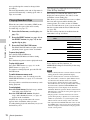
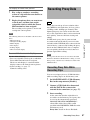
Each time that you record a clip, the unit
automatically generates a name consisting of
the clip name defined in the planning
metadata file, with the addition of an
underbar (_) and a five-digit serial number
(00001 to 99999).
Examples:
Typhoon_Strikes_Tokyo_00001,
Typhoon_Strikes_Tokyo_00002, ...
Chapter 4 Shooting
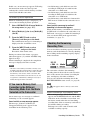
Use a text editor to modify the two fields in the
<Title> tag that contain the clip name strings.
The shaded fields in the example are clip name
strings. “Typhoon” is described in ASCII format
(up to 44 characters). “Typhoon_Strikes_Tokyo”
is described in UTF-8 format (up to 44 bytes).
“sp” indicates a space and 3 indicates a carriage
return.
Note
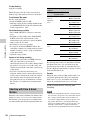
When you load another planning metadata file, the serial
number returns to 00001 with the next recording
operation.
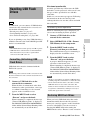
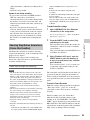
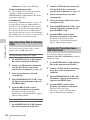
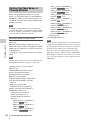
To select the clip name display format
When names are defined in both ASCII format
and UTF-8 format, you can use OPERATION
>Clip >Clip Name Disp in the setup menu to
select which of the names to display on the LCD
monitor and on the viewfinder screen.
To display ASCII format names: Select
Title1(ASCII).
The clip name becomes
“Typhoon_Strikes_Tokyo_SerialNumber”,
but “Typhoon_SerialNumber” is displayed
on the screens.
To display UTF-8 format names: Select
Title2(UTF-8).
The clip name becomes
“Typhoon_Strikes_Tokyo_SerialNumber”,
and the same name is displayed on the
screens.
Planning Metadata Operations
91