1
DIVA Quick Start, version 1.0.1
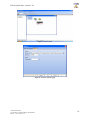
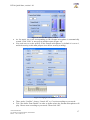
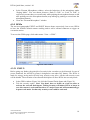
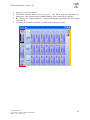
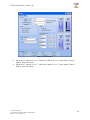
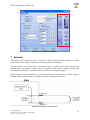
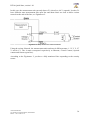
Figure 24: Monitoring Window
•
•
•
•
•
•
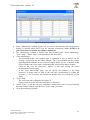
In the “Monitoring” window (Figure 24), you can see the machine and tone generator
display. It informs which DIVA you are currently monitoring. Note: all DIVA in
your Network are real time surveillance monitored.
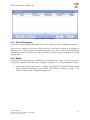
The “Monitoring” window is divided into three distinct parts: “Zone Monitoring”,
“Voice Amp”, “Music Amp” (corresponding to the three tabs).
“Zone Monitoring”:
- As mentioned before, one speaker zone is separated in two, A and B. On for
security (Voice) and one for Music (Music). The Voice channel has the priority
regarding Music channel in case of power supply defect. In case of default on the
Voice Channel, the voice source is automatically routed on the Music channel.
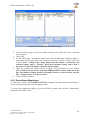
- Click on the “Get All Reference” button. It will start storing the actual
measurement for each zone.
- In the “Zone Monitoring” page, you can specify the tolerance of the faults
detection. It means that as long as the real time measurement is within the
reference +/- the tolerance, the monitored speaker lines are considered as non
faulty.
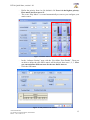
“Voice Amp”:
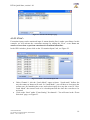
- The voice amp tab is illustrated on Figure 25.
- Simply click on get the reference and choose a tolerance.
“Music Amp”: to get the reference impedance measurement and to start monitoring
this amp channel, simply reproduce the “Voice Amp” procedure.
Close the monitoring window.
Ateïs International
Ch. du Dévent, 1024 Ecublens, Switzerland.
Phone : +41 21 881 25 10
21