1
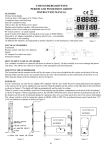
as shown in Figure 7. In this mode press <SET> once for time setting and the
time digits will blink. Adjust the minute by using the <+/-TEAM 2> and the
hour by using the
<+/-TEAM 1>. When time is set, press <SET> for exit to the Time Display
Mode.
COUNT UP MODE:
When the scoreboard is in the Time
Display Mode, press and hold <MODE> 3
seconds and repeat this action once more. It will
enter the Count Up Mode with the display
showing “C UP” as shown in Figure 8. Press
<SET> once and 0:00:00 will be displayed.
Press <START/STOP> to start and press again
to stop the count up timer. After timing is
stopped, press and hold <SET> 3 seconds for
resetting to zero.
Fig. 8
COUNT DOWN MODE:
When the scoreboard is in the Time Display
Mode, press and hold <MODE> 3 seconds and
repeat this action twice to enter the Count Down
Mode with the display showing “C dn”, as shown in
Figure 9. Press <SET> once to enter SET COUNT
DOWN MODE. The previously set countdown time
digits will be blinking. Press <+/- TEAM 1> to adjust
the minutes and hours. Press <+/- TEAM 2> to
adjust the seconds. When the countdown period is
set, press <SET> once and the time will be stored
in memory. The countdown timer can be started
and stopped by pressing <START/STOP >. At
0:00:00 the scoreboard will give a long beep to
indicate that the time is up. The countdown period
can be reset to the memorized period by pressing
and holding <SET> for 3 seconds. If setting of
countdown period is desired at this stage, press
<MODE> momentarily to enter SET COUNT
DOWN MODE and set using the <+/-> Buttons as
before.
P. 3
Fig. 9