1
supplied in your location. Plug the adapter into the
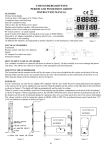
socket on the right side of the scoreboard as shown in
Figure 3. The digits will light up automatically and be
ready for setting.
Fig. 4
Fig. 5
When AC power is not available, insert four D size batteries into the
battery compartment on the back of the scoreboard as shown in Figure 4. When
using battery power, the ON/OFF SWITCH should be used to turn the
scoreboard on and off. If the batteries are left in the scoreboard during AC
operation, they serve as a back-up in the event of AC power interruption.
The batteries for the remote control can be inserted as shown in Figure 5.
Fig. 6
Fig. 7
TIME SETTING:
From the Time Display Mode with display as shown in Figure 6. Press
and hold <MODE> for 3 seconds to go to the Time Setting Mode with display
P. 2