1
VAG-COM
VAG-COM - Getting Started
Table of Contents
Getting Started
Main Screen
Select Control Module
Open Controller Function Screen
Fault Codes
Measuring Blocks
Data Logging
Single Reading
Readiness
Advanced ID
Login
7-digit PIN/SKC Dialog
Basic Settings
Output Tests
Recode
Adaptation
Security Access
Auto-Scan
Control Module Finder
OBD-II
Applications
Options
About
Appendix A: Problems & Issues
Appendix B: FAQ (Frequently Asked Questions)
Appendix C: VAG-Scope
Appendix D: TDI Timing Checker
Appendix E: VAG Functions
2
3-7
8
9
10-11
12-13
14-16
17-18
19
20-21
22
23-24
25-26
27-28
29-30
31-33
34-35
36-37
38-41
42
43-44
45-46
47-50
51
52-53
54-63
64-67
68-69
70
Thank you for purchasing VAG-COM. This package allows you to turn a Windows-based
PC into a sophisticated diagnostic tool for VW/Audi/SEAT/Skoda models from 1990-2006.
(Go to our website www.ross-tech.com to download the latest version of VAG-COM.
Click on: “Download VAG-COM Software”.)
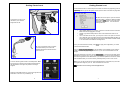
F Connect the Serial end of your Serial Interface or the USB end of your USB Interface to
the correct port on your PC. If your PC is further from the vehicle than 6 feet, use a Serial
Extension Cable between the PC and the Interface (USB is not extendable).
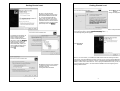
If you are using a Serial Interface, you can skip to
page 6 of this manual. If you are using the USB
Interface, this message should pop up: H
3