1
Insight
FETAL MONITOR Ver 1.1
5.9 Volume Control
The volume can be adjusted in 8 levels and there are two ways to control it. One is to use the
Encoder and control it from the menu, and the other is to use the “volume” key and the encoder.
The volume of Doppler I, II and Information can be adjusted. However, the volume of
Information can be adjusted only in the menu.
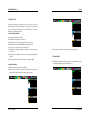
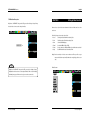
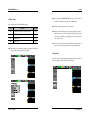
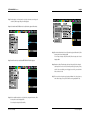
■Volume Change in the Menu
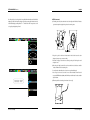
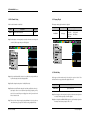
(1) Press the Encoder and the menu screen shows.
(2) Turn the Encoder left or right to select the volume tab.
(3) In the volume tab, press the encoder one more time to select the volume control.
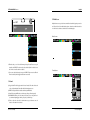
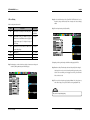
(4) Turn the Encoder to select the area (FHR1, FHR2) and then press the Encoder.
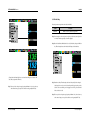
(5) The area you want to control turns red and you can adjust it now.
(6) Turn the Encoder to the right and the volume goes up. When it goes to the max value, it stays
at the max level.
(7) Turn the Encoder to the left and the volume goes down. Once it reaches the minimum level it
stops there.
(8) Press the Encoder at the desired level and the volume control operation is complete.
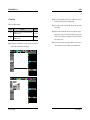
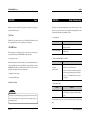
■Using the Volume Key
(3) Press the Encoder at the desired level and the volume control operation is complete.
5.10 Alarm On/Off
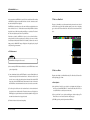
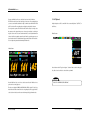
1) By default the Alarm function is On when you turn the Power on, and if the basic screen shows
a bell symbol without the X mark over it, the alarm function is on.
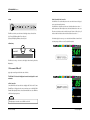
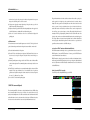
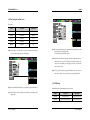
(1) Adjust the volume using the “volume” key and the Encoder.
(2) When you press the Volume Key on the Basic Screen the volume level indicator shows a
white rectangular border. This rectangle indicates the adjustable volume level.
36 How to use Insight
How to use Insight 37