1
Caddo 12B
Power Supply
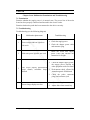
The equipment provides two automatic switch-over modes to supply power: adapter
and built-in battery.
2.4.1 Power supply with adapter
1 Cheek the input power cord plug of the adapter to see if it matches the EPS outlet.
Cheek the EPS to see if it is in the specified range and the power cord to see if it is
connected well.
3
Cheek the adaptor to see if it works well: Plug the power cord into the AC input
outlet switch on the power switch of the outlet if the DC output indicating light
turns on green, it works well.
4
Shut the power switch of the outlet.
5
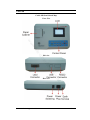
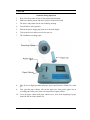
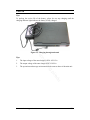
Insert the DC output plug of the adapter into the DC 14V 13A outlet in the rear of
the equipment Switch on the outlet
6
Turn on the main unit and the equipment is ready for operation now.
2.4.2 Battery Operation
hik
w.
ww
2
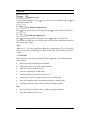
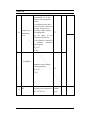
Install the battery correctly on the main unit.
2
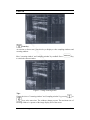
Switch on the power switch on the left side of the equipment. When the main unit
is power on, the power indicator will turn on.
3
The equipment can start operation.
Note:
ltin
su
on
-c
1
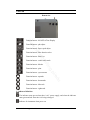
When the charging/electric quantity indicator flashes, it means the battery is running
up and needs charging.
pl/
g.
Warning:
2.5 Battery charging
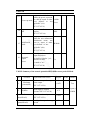
There are 3 ways to charge the battery.
u
ed
It is prohibited to use any other power supply except the standard adapter as the
external power supply for the main unit
2.5.1 Charging through main unit
1.
Install the battery correctly into the main unit.
2.
Insert the plug of "output DC 14 V /3A" of the adapter into the "DC 14 V /3A"
interface on the rear.
3.
Connect power cord of "Input AC100 - 240V, 50/60Hz"ofthe adapter to the AC.
EPS.
4.
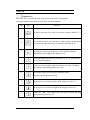
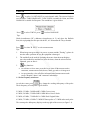
No matter the main unit is power on or shut down, when the "Charging / Electric
Quantity" indicator turns on in circulation, the adapter is charging the battery
When the four LED turn on at the same time, the battery is fully charged.
Scientech Technologies Pvt. Ltd.
16