1
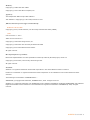
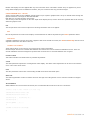
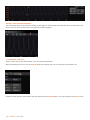
Before you edit any of the configuration files, you’ll want to make a copy of them so that the original file remains intact.
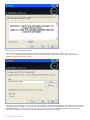
Make a copy of the cs_devices.xml file and rename it cs_devices_init.xml .
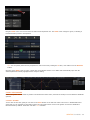
When SCRATCH starts up, it checks to see if the file cs_devices_init.xml exists. If it exists, SCRATCH reads that file and
ignores the cs_devices.xml file . This way, the cs_devices.xml file is your backup copy and all changes you make are to the
cs_devices_init.xml file.
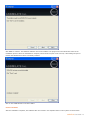
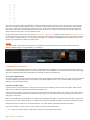
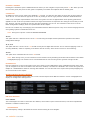
Open the cs_devices_init.xml file in notepad or any other text editing program. The file is broken into sections defined by
the specific XML tags.
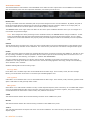
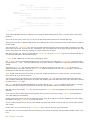
<?xml version="1.0" standalone="yes"?>
<!-- This file defines the attached control surfaces hardware configurations -->
<!-- Do not modify this file directly, instead make a copy and rename that -->
<!-- to: cs_devices_init.xml -->
<controlsurface>
<!-- For each device to be used, set the mode attribute to: enabled -->
<device name="Tangent CP200-BK" mode="disabled" >
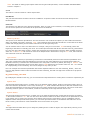
<driver>CsDrv_TangentCP200.dll</driver>
<entry_data>
<!--IMPORTANT: The serial number below has to be changed, ie it is
unique for every tangent device -->
<!-- : This number is shown on the display when the device is started
-->
<serial_number>XX</serial_number>
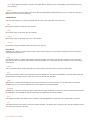
<dhcp>0</dhcp>
<ip_address>192.168.10.33</ip_address>
<gateway>192.168.10.2</gateway>
<netmask>255.255.255.0</netmask>
<port>33106</port>
<idle_timeout>125</idle_timeout>
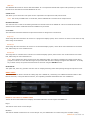
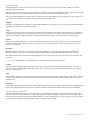
Each section is indented to make it easier to read and identify individual sections.
Sections that start with the tag <device name = …> identify the beginning of a device description. You’ll see the name of
the device within this tag.
For example:
<device name="Tangent CP200-BK" mode="disabled" >
The </device> tag identifies the end of that particular device’s description. Everything in between these two tags describes
particular settings for that device. There are only a few lines in each device description that you need to be concerned with.
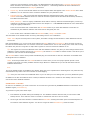
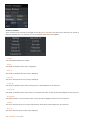
The first is in the <device name = …> tag itself. You will need to change the “disabled” setting to “enabled” . This will tell
SCRATCH to look for this device. Go through each section and enable the devices you have connected.
Tangent Devices Panels
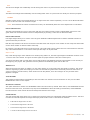
For Tangent Devices, you need to provide the serial number ID for each panel. The serial number ID is shown on the panel’s
display when it is powered on. Every panel has a unique ID.
This is set using the <serial number> tag. Replace the XX between the <serial_number> tags with the ID of your panel.
Repeat this for each device that you have connected. Remember, the number will be different for each panel.
The remaining sections of the device definition describe the IP address and other network information for the panel. If you
are using DHCP, be sure the <dhcp> tag is set to 1 for every panel that you have connected.
190 - SCRATCH User Guide