1
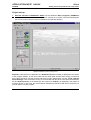
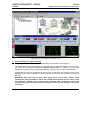
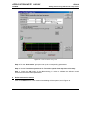
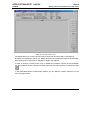
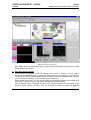
APPLICATION NOTE 045.001 12/20/02 IPS110 Getting started using IPS110 with a step motor Figure 18. The Data Logger dialog More details about the data analysis tools (Logger and Control Panel) are presented in the IPM Motion Studio User Manual. 7. Save and close the project The precedent paragraphs guided you through the process of starting a motion project, configuring and parameterizing it, defining the motion and finally executing it on the IPS drive. As one can see from the described procedure, the steps to follow are straightforward, and allow you to validate the operation of your complete drive configuration. When arrived at this point, you can start and really go into details related to all the features of the program, mainly focusing on the motion description and implementation. The just defined project, completed with the correct structure definition and parameters of the elements (motor, sensors, controllers, etc.), can be saved for further use. Select the “Project | Technosoft 2002 APN.001 - 18