1
If desired, the dispensation order can be entered manually.
Note: When clicking “Generate Dispensation Order”, any existing dispensation
order will be overwritten.
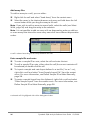
Note: When a base position is selected in the sequence to analyze, the
corresponding dispensation is highlighted with a gray background color, and
vice versa.
Dispensation warnings
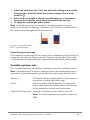
If the dispensation order contains a warning, this is displayed by a red
exclamation mark at the end of the text box. It is possible to run an assay with
a dispensation warning, but the warning must be considered when evaluating
the analysis result. If you position the mouse pointer over the exclamation mark,
a tooltip will display an explanation of the warning.
Warning
Suggested action
Sequence uncertain due The problem may be resolved by either entering
to lack of terminal
more sequence information or reducing the
sequence information.
number of dispensations.
Sequence not in phase
at the end of the
dispensations.
The problem may be resolved by adjusting the
dispensation order (manually or by clicking
“Generate Dispensation Order”) or entering more
sequence information.
Note: If the problem is not resolved, the out-of
phase stretch will not be analyzed.
The generated
dispensation order
contains less reference
peaks than required.
16
If possible, enter more sequence information and
increase the number of dispensations. For the best
possible quality assessment of the results, we
recommend five or more reference peaks.
PyroMark Q24 Analysis Software User Guide 01/2009