1
Preface
Preface
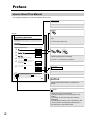
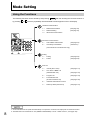
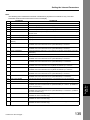
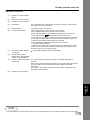
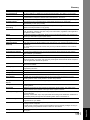
How to Read This Manual
The following notations are used throughout this manual.
ATTENTION
Indicates items that need to be registered in advance.
Sample
Keys with a pointing finger indicate keys you need to
press.
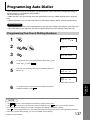
Programming Auto Dialler
Your machine has 2 types of Auto Dialers. The default dialer can be selected by changing the setting of Fax
Parameter No.119 (QWERTY KEYBOARD).
When the setting is set to:
"1:One-Touch": You can manually select the desired One-Touch Key, ABBR. Dialing and the Program Key.
"2:Quick Name Search": You can select the station by searching the Station Name, and the Program Name.
Ex: Press the Function Key.
1234
ATTENTION
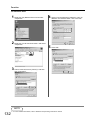
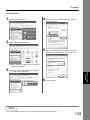
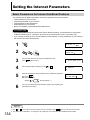
• The required Six (6) Basic Internet Parameters must be set when setting Email Address. (See page 132)
• Up to 580 stations, plus additional 420 with the optional SD Memory Card installed. (See page 186)
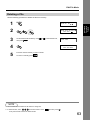
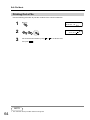
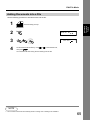
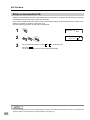
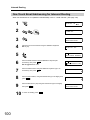
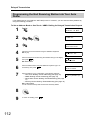
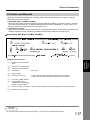
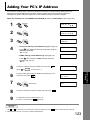
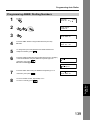
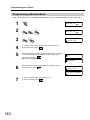
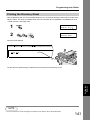
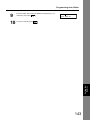
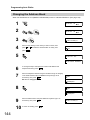
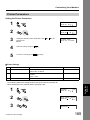
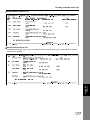
Programming Address Book
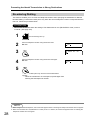
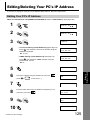
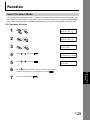
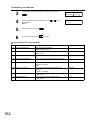
1
FUNCTION
ENTER NO. OR
(1-9)
2
ADDRESS BOOK
ENTER NO. OR
(1-3)
3
ADD STATION
ENTER TEL. NO.
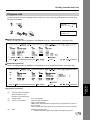
4
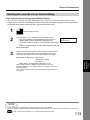
To change the input mode (between enter Email Address and
5
Enter the Telephone Number using the Number Pad (up to 36 digits)
or the Email Address using the QWERTY Keyboard (up to 60
Telephone Number), press
characters), then press
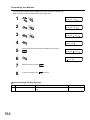
Indicates pressing keys sequentially.
Ex: Press 7, 2, the Set Key in sequence.
.
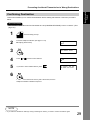
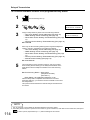
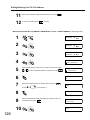
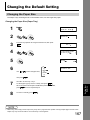
ENTER NAME
335
.
Ex: 335 or admin@pana
ENTER NAME
admin@pana
Enter the Station Name using the QWERTY Keyboard (up to 15
characters), then press
.
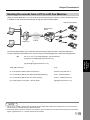
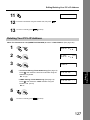
ADD STATION
ENTER TEL. NO.
Setting Your
Machine
6
ADD STATION
ENTER EMAIL ADDRESS
ADD STATION
ENTER EMAIL ADDRESS
Indicates messages shown on the LCD display.
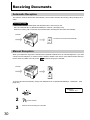
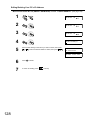
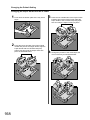
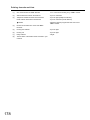
NOTE
1. Use
to enter a space between the num bers to make it easier to read.
2. Use
or
to move the cursor beyond the incorrect character, press
then re-enter the new character.
3. If you are using Pulse dialing and you wish to change to Tone dialing in the middle of dialing,
(Tone) (represented by a"/"). The dialing method will be changed from Pulse to Tone after dialing the digit "/".
press
4. When using Address Book Dialing, you cannot use ABBR. Number Dialing.
Continued on the next page...
XX
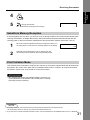
NOTE
Indicates additional information on operations or
features.
(Tone)
Indicates keys on the Control Panel.
The shape is different from the actual keys on the
machine.
The functions of some of the keys are marked in
parentheses.
For details about the keys on the Control Panel, refer
to Control Panel in the Operating Instructions (For
Basic Operations) of provided booklet.
2