1
UF6300_FAX_UK_PJQMC1263ZB.book 112 ページ
2008年12月10日 水曜日 午後1時26分
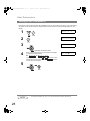
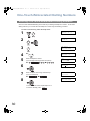
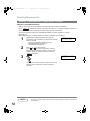
Password Communications
Setting Password Reception
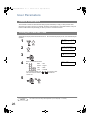
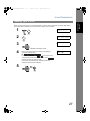
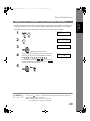
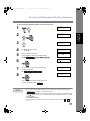
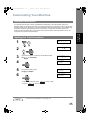
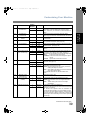
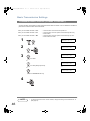
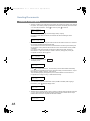
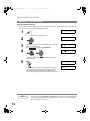
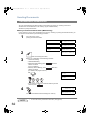
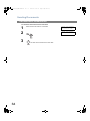
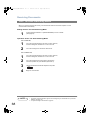
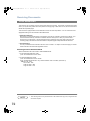
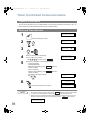
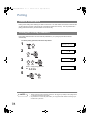
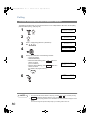
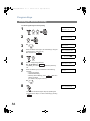
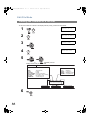
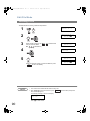
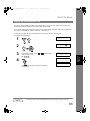
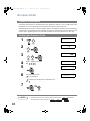
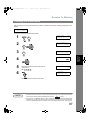
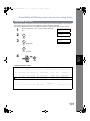
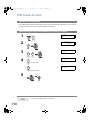
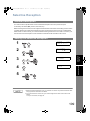
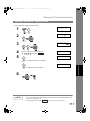
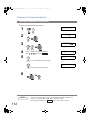
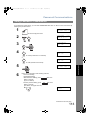
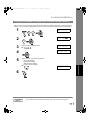
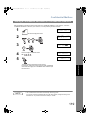
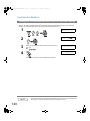
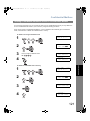
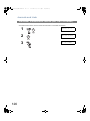
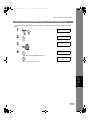
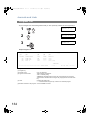
To set the receiving password and parameter,
1
7
2
FAX PARAMETER(1-137)
NO.=
4
3
4
5
SET MODE
(1-8)
ENTER NO. OR ∨ ∧
44 PASSWORD-RCV
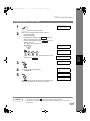
4
4
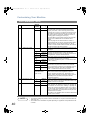
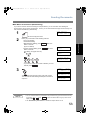
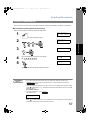
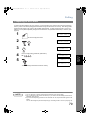
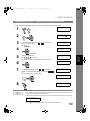
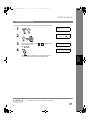
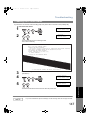
Enter a 4-digit Transmission Password.
Ex: 1 2 3 4 and press
Set
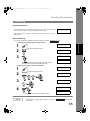
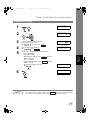
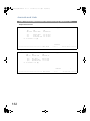
44 PASSWORD-RCV
1:OFF
1234
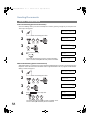
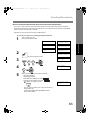
44 PASSWORD-RCV
1:OFF
1234
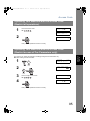
1
for "OFF" (Password is not checked)
or
or
44 PASSWORD-RCV
2:ON
1234
2
for "ON" (Password is checked)
6
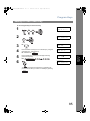
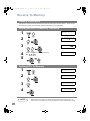
NOTE
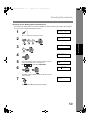
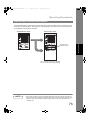
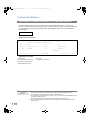
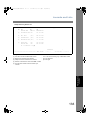
1. Once you set the parameter, you cannot select the parameter, "OFF" or "ON" for each
reception. It is always "OFF" or "ON" until you change the setting.
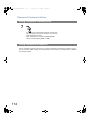
2. To change the password, press
112
Clear
in step 4. Then re-enter a new one.