1
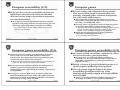
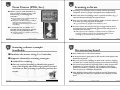
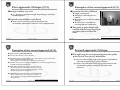
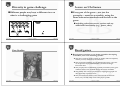
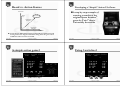
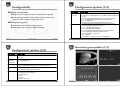
Interaction styles appropriateness matrix
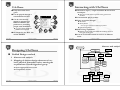
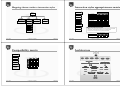
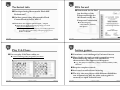
Mapping abstract tasks to interaction styles
i1
Input
Automated
control
User attributes
i2
Keyboard –
direct selection
Output
Visual
Keyboard –
direct selection
Keyboard –
browse & select
i2
Screen
i4
Mouse
Speech
Manual scanning
i3
i4
i5
i6
o1
=
=
=
=
=
=
9
9
9
Blind
9
Manual scanning
i5
9
9
i6
Speech
commands
9
Screen
i5
Speech
i6
Speech
commands
o2
=
9
=
9
=
9
9
Novice
9 : ideal
o1
9
9
=
Mild cognitive impairment
Expert
i3
9
o2
9
9
Uses multiple switches
Uses single switch
o2
i4
Mouse
i2
No hand-motor impairment
Aural
o1
Full vision
i1
Low vision
i3
Keyboard –
browse & select
Manual
control
i1
Automatic scanning
Interaction styles
Automatic scanning
Select
piece
: appropriate
: could be used
=
9 9
: inappropriate = : neutral
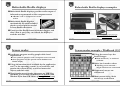
9 (ideal): Explicitly designed for this user attribute
Ç (appropriate): Suitable, but maybe not the best
È (could be used): If nothing else is available it can be used, though not recommended
r (inappropriate): Totally inappropriate, will result in an accessibility barrier
= (neutral): Does not have any effect on the particular user attribute
Interaction styles
User attributes
i1
i2
i3
i4
i5
i6
o1
o2
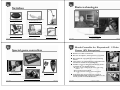
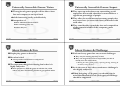
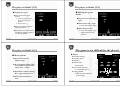
Low vision, novice, singleswitch
HY454, 2006
Δ. Γραμμένος, Α. Σαββίδης
Slide 81/116
HY454, 2006
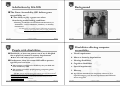
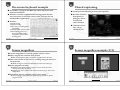
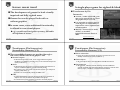
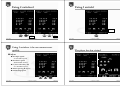
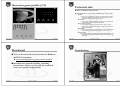
Compatibility matrix
Δ. Γραμμένος, Α. Σαββίδης
Slide 82/116
Δ. Γραμμένος, Α. Σαββίδης
Slide 84/116
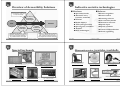
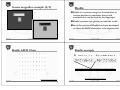
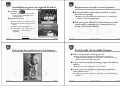
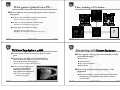
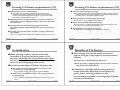
Architecture
i1
Automatic scanning
Keyboard –
direct selection
Keyboard –
browse & select
Mouse
i2
i1
i3
i2
i4
Manual scanning
i5
i6
Speech
commands
HY454, 2006
9
9
9
9
9
9
9 : compatible
i4
i5
9
9
9
9
9
9
9
9
9
9
i6
9
9
9
i5
i6
i3
9
i3
i4
i2
9
i1
9
9
9
: incompatible
Δ. Γραμμένος, Α. Σαββίδης
Slide 83/116
HY454, 2006