1
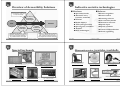
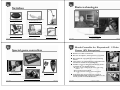
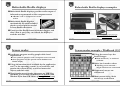
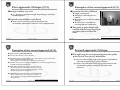
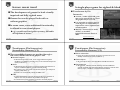
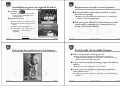
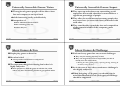
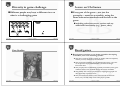
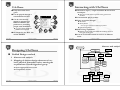
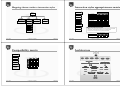
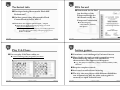
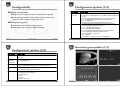
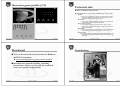
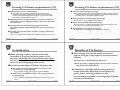
Overview of Accessibility Solutions Indicative assistive technologies Hardware Devices that are suitable for, or compensate to some extent for a specific disability Assistive technologies Access User Interaction techniques Software Content annotation & adaptation Appropriate for the disabled person’s interaction capabilities and needs and can work with, and take advantage of, any available assistive technologies HY454, 2006 Slide 13/116 HY454, 2006 Special keyboards Single finger or Head/Mouth stick keyboard (MALTRON) http://www.maltron.com/ HY454, 2006 z Screen magnifiers z Screen readers z Scanning software z On-screen keyboards z Alternative browsers z Speech input z Speech synthesis z Visual sound notification z Closed captioning So that it can be rendered in a format that can be optimally perceived and used, through the employed assistive technologies and interaction techniques Δ. Γραμμένος, Α. Σαββίδης BigKeys (Gerystone digital Inc.) http://bigkeys.com/ Software z Special keyboards z Alternative mice, joysticks, trackballs z Switches z Braille displays z TTYs (teletypewriters) z Special game controllers z Trackers z Brain technologies Twiddler 2 (Handkey corporation) http://www.handykey.com/ Δ. Γραμμένος, Α. Σαββίδης Δ. Γραμμένος, Α. Σαββίδης Slide 14/116 Alternative mice, joysticks, trackballs Vertical Mouse (IntelliTools) http://www.intellitools.com/ BigTrack (Infogrip Inc.) http://www.infogrip.com IntegraMouse (LifeTool) http://www.lifetool.at/ IntelliKeys (IntelliTools) http://www.intellitools.com/ Half Keyboard (Matias corporation) http://halfkeyboard.com/ Slide 15/116 Headway (Esterline Corporation) http://assistive.traxsys.com/ HY454, 2006 Perific Dual Mouse (Perific) http://www.perific.com Δ. Γραμμένος, Α. Σαββίδης SmartNAV EG (NaturalPoint) http://www.naturalpoint.com/smartnav/ Slide 16/116