1
Table of Content
Table of Content
Notices Information ........................................................................................................................ 1
Copyright .................................................................................................................................. 1
Safety cautions .......................................................................................................................... 1
WEEE Warning ......................................................................................................................... 1
Cleaning .................................................................................................................................... 1
Table of Content ............................................................................................................................. 2
Getting Started ................................................................................................................................ 6
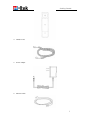
Packing List .............................................................................................................................. 6
Phone Installation ...................................................................................................................... 8
1. Attach the Foot stand..................................................................................................... 8
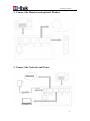
2. Connect the Handset and optional Headset ................................................................... 9
3. Connect the Network and Power................................................................................... 9
Initialization ............................................................................................................................ 10
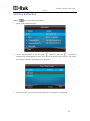
Status ....................................................................................................................................... 10
Registration ............................................................................................................................. 12
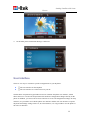
Idle Screen .............................................................................................................................. 14
Getting Familiar with Your Phone............................................................................................... 15
Hardware Components Preview.............................................................................................. 15
Icon Preview ........................................................................................................................... 18
LED Instruction....................................................................................................................... 22
Power Indicator LED ...................................................................................................... 22
Line LED:(Line or Memory Key set as Line) ................................................................. 22
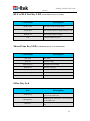
BLF or BLF List Key LED :( Line/Memory Key set as BLF) ........................................ 23
Shared Line Key LED :( Line/Memory Key set as Shared Line) ................................... 23
Other Key Led ................................................................................................................. 23
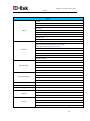
Info Key Instruction ................................................................................................................ 24
User Interface .......................................................................................................................... 25
Memory Key Function Overview ........................................................................................... 27
Basic Setting Configuration ........................................................................................................ 28
Web Login ............................................................................................................................... 28
Administrator Password .......................................................................................................... 29
Basic Network Setting ............................................................................................................ 31
WAN Port ........................................................................................................................ 31
PC Port ............................................................................................................................ 33
Display Mode .......................................................................................................................... 36
Language ................................................................................................................................. 37
Time and Date ......................................................................................................................... 38
Ring Tone ................................................................................................................................ 42
Volume .................................................................................................................................... 45
Wallpaper ................................................................................................................................ 47
Screen Saver............................................................................................................................ 48
2