1
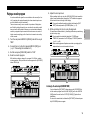
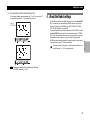
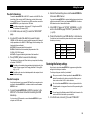
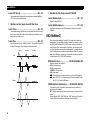
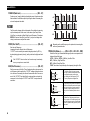
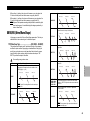
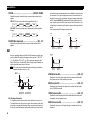
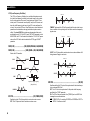
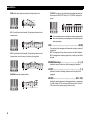
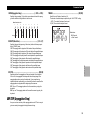
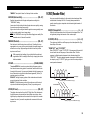
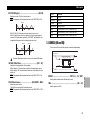
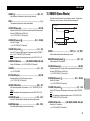
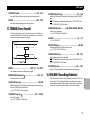
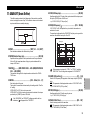
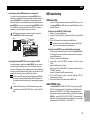
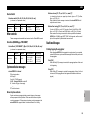
Quick start Knob [3] (FX1 CONTROL 1) Level This adjusts the parameter that’s assigned to CTRL-1 (FX1 CONTROL 1) for the effect used by the currently selected program. NOTE You are free to change the parameter that’s assigned to this knob. Refer to page 63 “Controlling effect parameters.” NOTE This knob won’t do anything if the FX TYPE of the selected program is set to “FX OFF,” In this case, the display will indicate “INVALID.” Note off Note on Attack Level [3] Time 0 [1] [2] [1]: Attack Time [2]: Decay Time Quick start EG2 [4] [3]: Sustain Level [4]: Release Time Performance editing when ASSIGN is selected If the [KNOB FUNCTION SELECT] dial is set to “ASSIGN,” the most useful parameters for the currently selected program will be assigned to the knobs. NOTE You are free to change the parameters that are assigned to the knobs. For each program, you can freely assign a parameter to each knob [1]–[3] and use it to control the program. ( p. 33 “KNOB”) Performance editing when EFFECT is selected If the [KNOB FUNCTION SELECT] dial is set to “EFFECT,” parameters for the effect used by the currently selected program will be assigned to the knobs. Knob [1] (FX1 DRY/WET, knob [2] (FX2 DRY/WET) These adjust the balance between the effect sound and direct sound of the FX1 and FX2 effects. Turn the knob all the way to the left for a sound without any effect applied (“dry”), or all the way to the right for the maximum effect sound (“wet”). NOTE These knobs won’t do anything if the FX TYPE of the selected program is set to “FX OFF.” In this case, the display will indicate “INVALID.” 17