1
Lite
OVERVIEW
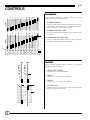
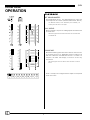
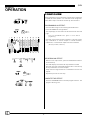
FRONT PANEL
1
7 8
2
1. POWER SWITCH:
3
Located in rear.
2. POWER INDICATOR:
Illuminated when console is On.
3. CHANNEL CONTROLS:
Two-scene channel controllers for individual level setting.
EFFECTS
MODE
RUN
POWER
BUMP
MASTER
DIR
PAGE
F
1
STOP
B
2
OFF
R
3
PROGRAM
4. BUMP BUTTONS:
1
2
3
4
5
6
7
8
9
10
11
12
13
14
15
16
17
18
19
20
21
22
23
Channel bump buttons with mimic level indicators.
24
RATE
S
C
E
N
E
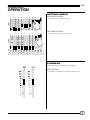
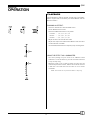
5. PLAYBACK CONTROLS:
1
1
2
3
4
5
6
7
8
9
10
11
12
13
14
15
16
17
18
19
20
21
22
23
Split dipless crossfaders with timer controls.
Bump mode Switches: On, Off, and Solo.
Effects Master and Rate Controls.
Grand Master and Blackout switch.
24
S
C
E
N
E
2
GM
EM
STEP/HOLD
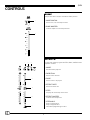
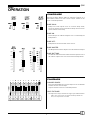
6. SUBMASTERS:
Three pages of overlapping submaster memories with bump
buttons and tricolored LEDs.
7. EFFECTS CONTROLS:
6
Program controls for Chase effects to include Mode direction
and Page selections.
4
5
8. PROGRAM KEY:
For recording Submaster memories.
For recording Effects memories.
For recording Soft-Patch.
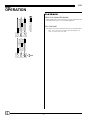
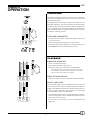
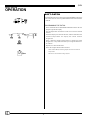
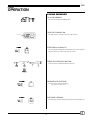
REAR PANEL
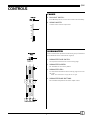
1. CONSOLE POWER MODULE:
3
2
On/Off Switch.
Fuse Carrier (.5 Amp).
Grounded recessed IEC connector for console power.
1
2. DMX512 OUT:
Console output locking 5-pin XLR connector.
3. ANALOG OUTPUT PORTS:
25D connectors for 0- +10 VDC output.
(12- 24- 36- 48- 0r 60-channel capacity).
3