1
Lite
CONTROLS
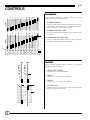
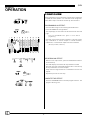
CHANNEL
Control channels represent a single or group of dimmers
assigned to a linear slider for output.
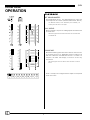
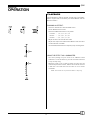
1. CHANNEL SLIDERS:
Twenty-four (24) channel sliders arranged in a 2-Scene preset
configuration. Twelve channels are represented by fader 1,
and 12 channels are represented by fader 2.
2. CHANNEL BUMP BUTTONS:
Twelve (12) individual bump buttons for direct output control
of channels.
1
3. ILLUMINATED CHANNEL LEDs:
Twelve (12) individual channel LEDs mimic the level output of
the channel directed through the crossfader.
2
3
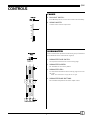
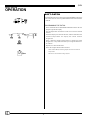
FADER
Control console channels output through a split dipless
crossfader between scenes.
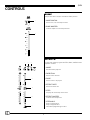
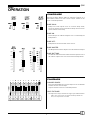
1. CROSS FADE TIMERS:
Sets fade time for associated faders.
1
2. FADER 1:
Controls levels set on channels in Scene 1.
3. FADER 2:
Controls levels set on channels in Scene 2.
2
3
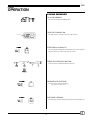
4. LED DISPLAYS:
Bargraph displays active position of fader during crossfade.
Displays progress of time fades.
4
4