1
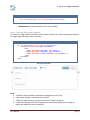
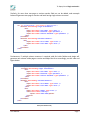
TS JQuery Form Plugin version 0.1 1. Getting Started with “TS JQuery Form Plugin” TS JQuery Form Plugin allows user to develop a decent looking web-form where the plugin will cater the alignment and basic design. There are various options such as control and their respective label positioning, control grouping and also have the ability change the form interface to wizard. 2. External Dependencies: Following are the files which need to be added to use the plugin: jquery-1.8.3.js : The file is added to the package. Latest version can also be used. Visit http://www.jquery.com to get the latest version json2.js : The file is added to the package. Latest version can also be used. Visit https://github.com/douglascrockford/JSON-js/blob/master/json2.js to get the latest version 3. How to Use “TS JQuery Form Plugin”: Follow the procedure described below to use the plugin functionality 3.1 Include CSS file: Include the Plugin’s CSS file as shown in code example below: Code sample: <link rel="stylesheet" href="css/jquery.ts-jform.0.1.css" type="text/css" /> There is another CSS file “jquery.ts-jform-ie-fix.css” in a package, there is no need to include this file as Plugin will detect the IE Browser version, it will be loaded by dynamically against IE 6, 7 or 8 3.2 Write an HTML for Plugin: Plugin takes an html as an input, which needs to be according to the format which is described below: Step 1 – Place Container for Plugin Place the container <div> inside <form> tag; Plugin will use the container div and place the generated form html inside it User Manual Page 3