1
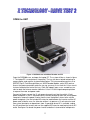
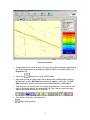
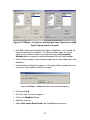
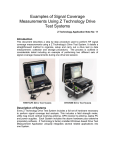
Figure 2: Instrumentation Locations
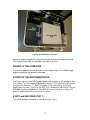
Connect a properly located RF antenna to the meter and connect a properly located
GPS antenna to the GPS unit located on right side of the case.
POWER UP THE COMPUTER
Turn on the Laptop by pressing and releasing the Power button. The COMPAQ logo
appears followed by the Window 98 Desktop.
POWER UP THE INSTRUMENTATION
The Power switch on the 8VSB Decoder Module controls power to the decoder as well
as the meter. Turn the Decoder Module power switch on. The switch will and the meter
front panel will illuminate. "1 Port" will appear on the meter display. If the meter
display does not show “1 Port” then the Drive Test 2 software will not initialize. See the
DSS5800 User Manual Appendix A. The GPS receiver will remain on as long as AC
power is supplied from the inverter or an AC source.
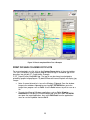
START and USE DRIVE TEST 2
This section provides information on how to use Drive Test 2.
3