1
OPEN the UNIT
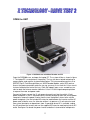
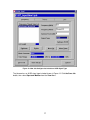
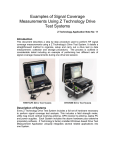
Figure 1: DSS5800 case with Meter Decoder and PC
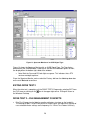
Open the DSS5800 case, and open the laptop PC. The system will be as shown in figure
1. The laptop PC is mounted on a hinged tray. The tray can be un-locked rotated up to
expose power cords and the instrumentation below. The instrumentation consists of an
RMT507 Opt S, Field Strength Meter, an 8VSB Decoder Module, and a GPS receiver.
Access the power connection rotate the tray up, you must first un-lock the 1/4 turn transit
fastener located at the front of the tray. Close the laptop if open, use a screwdriver or a
coin to rotate the fastener counter clockwise 1/4 turn. Lift the hinged computer platform
to expose the meter and power cords.
Connect to Power, remove the 12 volt power plug and insert into the vehicle 12 volt
power receptacle. If the 12 volt power cord is not long enough to reach the vehicle power
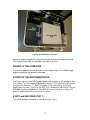
receptacle, remove the power inverter from the case and place it closer to the vehicle
power receptacle. Use the included AC extension cord between the inverter and the AC
power cord inside the case. An alternate solution is to procure a 12 volt extension cord
from a local electronics or department store. If operating where AC is available, unplug
the AC cord from the Inverter and use the supplied AC extension cord to plug into an AC
outlet. See figure 2 to locate the power inverter and other instrumentation components.
2