1
CBL Interactive (CBLi)
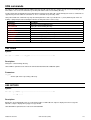
Contents
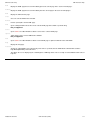
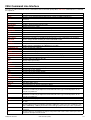
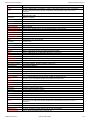
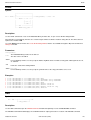
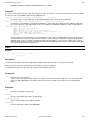
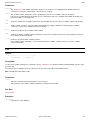
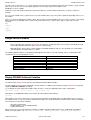
Documentation Notes..............................................................................................................................................................1
About CBL Interactive (CBLi).............................................................................................................................................................1
System Environment...............................................................................................................................................................2
Getting started with CBLi...................................................................................................................................................................2
Starting the CBLi program.......................................................................................................................................................2
Window Concepts...................................................................................................................................................................2
Window types..........................................................................................................................................................................3
Screen Sizes...........................................................................................................................................................................3
Manipulating Windows............................................................................................................................................................4
Window layout.........................................................................................................................................................................4
Pressing buttons.....................................................................................................................................................................4
Window Focus.........................................................................................................................................................................5
Window Names.......................................................................................................................................................................5
Window Class.........................................................................................................................................................................5
Window List.............................................................................................................................................................................6
Function Keys.........................................................................................................................................................................6
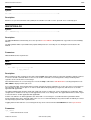
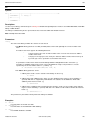
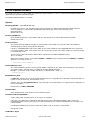
CBLi Main Window..................................................................................................................................................................7
System Menu..........................................................................................................................................................................7
Function Keys Window............................................................................................................................................................9
CBLi Main Menu....................................................................................................................................................................10
Storage Display Window.......................................................................................................................................................11
Security Considerations........................................................................................................................................................12
CBLi Clipboard......................................................................................................................................................................13
Executing SELCOPY.........................................................................................................................................................................13
Invoking SELCOPY Interactive.............................................................................................................................................15
Load Library Search Chain...................................................................................................................................................15
SELCOPY Loop Break-in......................................................................................................................................................16
SELCOPY Interactive Windows............................................................................................................................................16
SELCOPY Interactive Main window......................................................................................................................................17
SYSIN Window......................................................................................................................................................................18
SYSPRINT Window..............................................................................................................................................................18
SQL Log Window..................................................................................................................................................................19
WTO Log Window.................................................................................................................................................................19
Work Area/Current Input Record Window.............................................................................................................................20
POS Expression Window......................................................................................................................................................21
@ Pointer Window................................................................................................................................................................21
Equates Window...................................................................................................................................................................22
PCB Window.........................................................................................................................................................................22
TRACE Window....................................................................................................................................................................23
Point-and-Shoot Popup Menu...............................................................................................................................................24
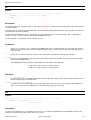
SELCOPY Interactive Commands........................................................................................................................................25
BREAKPOINT.......................................................................................................................................................................25
EOJ.......................................................................................................................................................................................25
GO.........................................................................................................................................................................................26
RERUN.................................................................................................................................................................................26
STEPINTO............................................................................................................................................................................26
STEPOVER...........................................................................................................................................................................27
TRACK..................................................................................................................................................................................28
WINDOW..............................................................................................................................................................................28
SELCOPY Interactive Function Keys....................................................................................................................................30
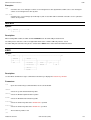
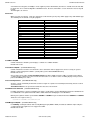
Executing CBLVCAT.........................................................................................................................................................................30
CBLVCAT Interactive Window..............................................................................................................................................33
Raw Data Window.................................................................................................................................................................37
DB2 Dynamic SQL.............................................................................................................................................................................40
Executing IDCAMS............................................................................................................................................................................40
Prefix Commands..................................................................................................................................................................41
New File Definition............................................................................................................................................................................41
Allocate NonVSAM................................................................................................................................................................41
Define VSAM Elements.........................................................................................................................................................43
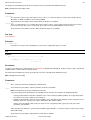
Execute POWER................................................................................................................................................................................43
Prefix Commands..................................................................................................................................................................46
Create ALIAS......................................................................................................................................................................................47
Execute IEBCOPY..............................................................................................................................................................................49
List Windows.....................................................................................................................................................................................49
The List Window Menu..........................................................................................................................................................49
View List Display...................................................................................................................................................................49
2009/07/20 16:03:29
i